Wondershare PDFelement PDF Editor Review: A Practical Pick for Everyday PDF Work
If your main job is to open a PDF, tweak a few lines, swap a page, and export a clean file without wrestling with Adobe’s subscription model, the Wondershare PDFelement PDF Editor is built for that exact loop. It positions itself as an “easy PDF solution” to create, convert, and edit documents, and the interface leans toward getting a task done in a few clicks rather than exposing every advanced vector tool. For people who deal with contracts, invoices, or study materials on a weekly basis, it aims to be the middle ground between a free reader and a full enterprise suite.
Quick Answer
| Best for | Individuals and small teams who need to edit, convert, and sign PDFs without a recurring subscription. |
| Skip if | You require deep vector illustration editing, complex form logic, or enterprise-grade security compliance. |
| One line | A straightforward, AI-assisted PDF editor that handles the core tasks most people actually do. |
Swipe sideways to compare →
What actually changes the buy is fit, what you should skip, and which tradeoffs show up after week one — not a longer spec sheet. If you already know the job, see current options while you read the criteria.
What the Official Page Lists
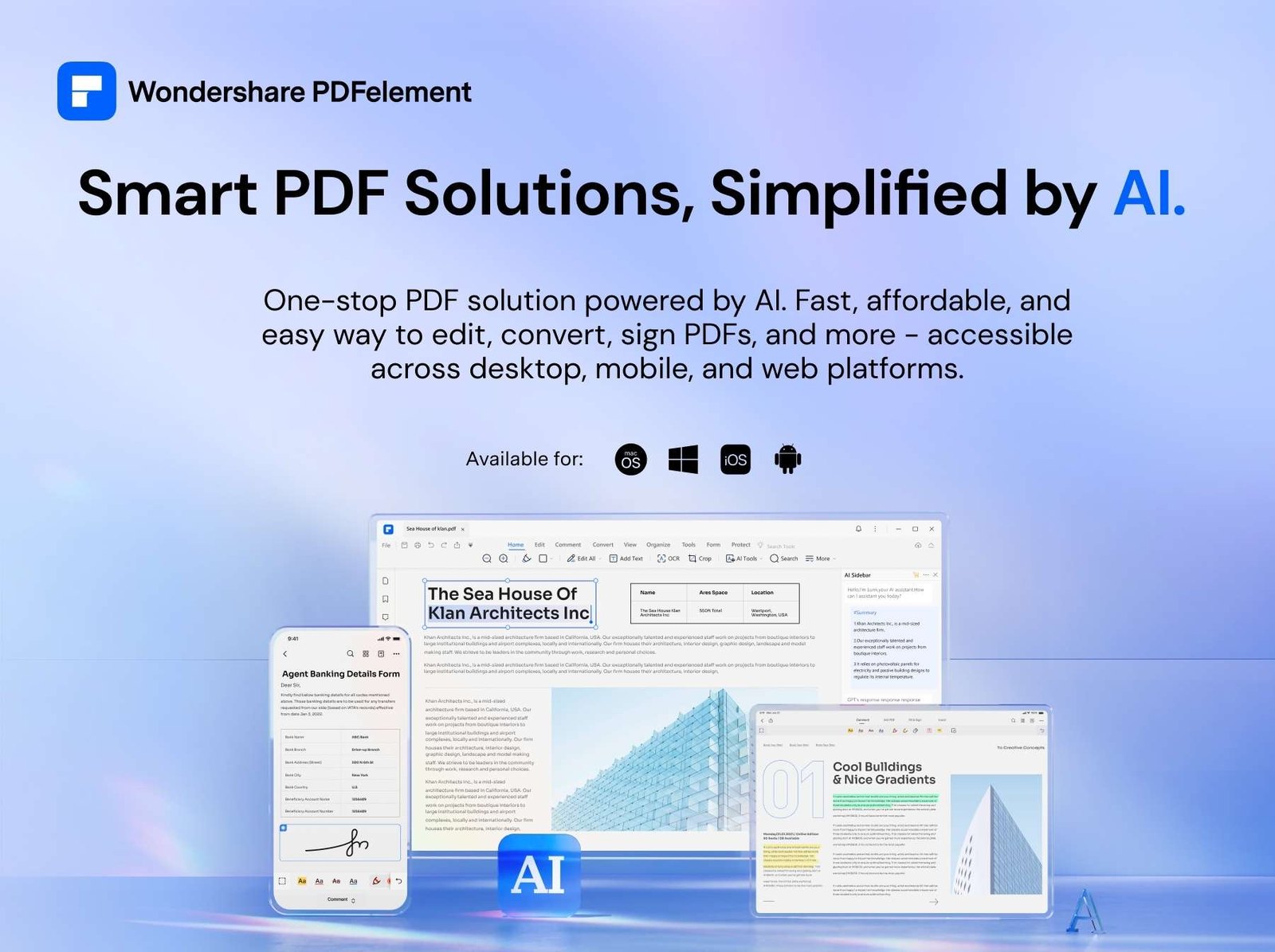
The official product page for the Wondershare PDFelement PDF Editor emphasizes creating, converting, and editing PDFs. While specific version numbers and pricing tiers can shift, the core feature set consistently highlights:
- Editing: Modify text, images, and links within existing PDFs.
- Conversion: Transform PDFs to Word, Excel, PowerPoint, and images, and vice versa.
- AI Tools: Integrated AI features for summarizing, translating, and rewriting content. See options
- Scanning: Convert scanned documents into editable text (OCR).
Note: Specific pricing, trial durations, and the exact list of supported file formats can change. Verify the current terms and feature availability directly on the Wondershare product page before purchasing.
What Reviewers Say
Reviews from YouTube say this about the Wondershare PDFelement PDF Editor.
In a video titled "PDFelement Review - The Ultimate PDF Editor!", the creator highlights the tool’s capability to handle complex editing tasks, suggesting it serves as a robust alternative for users who find other editors too cumbersome. This aligns with the product’s positioning as a comprehensive solution for daily document management. You can see current options.
Another YouTube review, "Edit PDFs Like a Pro with AI | Wondershare PDFelement Review," focuses on the AI integration, noting how the tools streamline the workflow for users who need to process large amounts of text quickly. For anyone frustrated by manual copy-pasting or formatting issues, this AI-assisted approach is a significant time-saver.
A third video, "How to Edit & Convert PDFs | Wondershare PDFelement Pro Review," demonstrates the conversion features, showing how easily files move between PDF and Office formats. This is particularly useful for professionals who need to turn static PDF reports into editable spreadsheets or presentations without losing formatting integrity.
Who It’s For
The Wondershare PDFelement PDF Editor is designed for users who want a reliable, all-in-one PDF tool without the steep learning curve of professional design software.
- Freelancers and Consultants: You likely send invoices and proposals as PDFs. This tool lets you edit text and add logos quickly before sending.
- Students: You need to annotate textbooks, combine multiple chapters into one file, or convert PDFs to Word for easier editing.
- Small Business Owners: You manage contracts and need to sign documents digitally or merge files for record-keeping.
- Remote Workers: You frequently deal with scanned documents and need OCR to make them searchable and editable. See options
If you are looking for a tool that integrates well with your existing workflow, you might also check out our guide on best productivity software for remote work. Check the official listing before you buy.
Who Should Skip
The Wondershare PDFelement PDF Editor is not a replacement for specialized design or engineering software.
- Graphic Designers: If you need to manipulate vector paths, create complex layouts, or work with high-resolution print files, a dedicated design tool is more appropriate.
- Enterprise IT Administrators: If your organization requires strict, centralized security policies, digital rights management (DRM), or advanced audit logs, you may need a more specialized enterprise solution.
- Heavy Form Builders: If you create complex, interactive PDF forms with extensive logic and validation, you might find the form builder less robust than dedicated form software. See options
For a deeper dive into choosing the right software for your specific needs, see our guide to selecting the right business software. Check the official listing before you buy.
Mid-check
If the criteria above already match how you actually use the space, stop here and check current options before you keep reading comparison noise. Confirm details on the current product page.
How to Choose in Five Minutes
- Identify Your Main Task: Are you editing text, converting files, or signing documents? The Wondershare PDFelement PDF Editor covers all three, but knowing your primary need helps you focus on the right features.
- Check Your File Types: Ensure the tool supports the specific file formats you work with (e.g., specific image types or legacy document formats). See options
- Evaluate AI Needs: If you regularly summarize or translate documents, the AI features are a major plus. If not, you can ignore them and focus on the core editing tools. See options
- Compare Pricing Models: Decide if a one-time purchase or a subscription model fits your budget. Check the current pricing structure on the official site. See options
- Try the Free Version: Most PDF tools offer a free trial or a limited free version. Test it with a real document to see if the interface feels intuitive to you. See options
FAQ
Is Wondershare PDFelement free? There is typically a free version with limited features, but the full editing and conversion capabilities require a paid license. Check the Wondershare PDFelement PDF Editor page for the current free vs. paid feature breakdown.
Can I edit text in a PDF? Yes, the core function of the Wondershare PDFelement PDF Editor is to allow you to modify text, images, and links within existing PDF documents.
Does it work on Mac and Windows? Yes, the software is available for both Windows and Mac operating systems, ensuring compatibility across most desktop environments. Check the official listing before you buy.
How does it compare to Adobe Acrobat? While Adobe Acrobat is the industry standard, the Wondershare PDFelement PDF Editor often offers a more affordable entry point with a simpler interface, making it a strong alternative for users who don’t need Adobe’s full suite of features.
Bottom Line
The Wondershare PDFelement PDF Editor is a practical choice for anyone who needs to edit, convert, and manage PDFs without the complexity or cost of enterprise-grade software. Its focus on ease of use and AI-assisted tools makes it a strong option for freelancers, students, and small businesses. If you’re looking for a reliable, all-in-one PDF solution, this is a tool worth considering.
Sources
- YouTube: How to Edit & Convert PDFs | Wondershare PDFelement Pro Review — https://www.youtube.com/watch?v=6s5caAWC3q8
- YouTube: PDFelement Review - The Ultimate PDF Editor! — https://www.youtube.com/watch?v=txl9_geMSe4
- YouTube: Edit PDFs Like a Pro with AI | Wondershare PDFelement Review — https://www.youtube.com/watch?v=hCl-a2wbKe4