UPDF IT Review: The AI-Powered PDF Editor for Italian Professionals
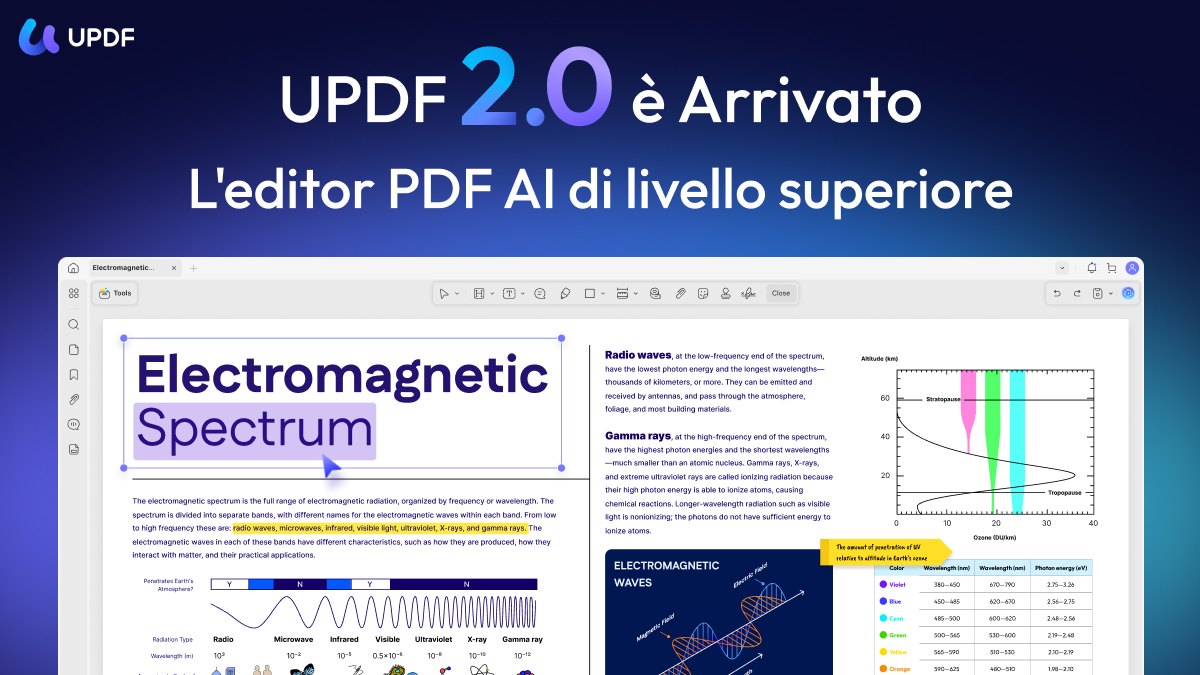
If your inbox is a graveyard of scanned contracts, university syllabi, and government forms that refuse to open properly, you know the specific frustration of trying to edit a PDF without losing the formatting. UPDF IT is built for that exact moment. It is not just a viewer; it is a full-featured editor that lets you change text, fix images, and even run OCR on scanned documents directly within the interface. For Italian users navigating bureaucratic paperwork or academic assignments, having a tool that handles both desktop and mobile workflows seamlessly is a significant quality-of-life upgrade.
You can download UPDF IT to see how it handles your specific file types. It positions itself as a modern alternative to legacy software, focusing on speed and AI-assisted tasks rather than just basic annotation.
Quick Answer
| Best for | Skip if | One line |
|---|---|---|
| Users who need to edit text, images, and OCR scans in one app. | You only need to view PDFs and never edit them. | A streamlined, AI-assisted PDF editor for Windows, Mac, iOS, and Android. |
Swipe sideways to compare →
What actually changes the buy is fit, what you should skip, and which tradeoffs show up after week one — not a longer spec sheet. If you already know the job, see current options while you read the criteria.
Official Facts: What the Product Page Lists
Based on the official product documentation for UPDF, the tool is designed to cover a wide range of PDF tasks within a single application. While specific pricing tiers and warranty details can vary by region and time, the core feature set remains consistent across the platform.
| Feature | Details from Official Context |
|---|---|
| Core Function | AI-Powered PDF Editor, Annotator, and Converter. |
| Platform Support | Desktop (Windows, Mac) and Mobile (iOS, Android). |
| Key Capabilities | Edit text/images, OCR (Optical Character Recognition), Convert to Word/Excel, AI Chat with PDF. |
| AI Integration | UPDF AI allows users to chat with their documents, summarize content, and extract information. |
| Version | UPDF 2.5 (as referenced in current product materials). |
Swipe sideways to compare →
Note: Specific subscription costs and trial periods for the Italian market should be verified directly on the UPDF IT official page before purchase, as pricing models may update.
What reviewers say
Reviews from YouTube say this about the UPDF IT.
In a detailed walkthrough comparing major editing tools, one creator noted, "This is hands down one of the best offerings if you're looking to edit PDFs, OCR them, and do a number of other options like we explained." This sentiment aligns with the product’s core value proposition: it solves the multi-step problem of needing different software for editing versus converting versus OCR-ing. You can see current options.
Another video focused on the competitive landscape stated, "I'll have links in my description to start using UPDF yourself today and to get the most you can out of a great PDF editor." This suggests that for users who find legacy tools clunky, UPDF offers a more direct path to productivity.
A third review, titled "UPDF vs Adobe Acrobat: The Best Free PDF Editor in 2025? UPDF Review & Full Tutorial," highlights the tool’s relevance in the current market. The comparison itself indicates that UPDF has reached a maturity level where it is a serious contender for users who want powerful editing capabilities without the traditional bloat associated with older enterprise software.
Who it's for
UPDF IT is ideal for professionals and students who deal with high volumes of PDFs that require more than just reading. If you are a freelancer sending invoices, a student managing research papers, or an office worker processing scanned forms, this tool reduces friction.
- Bureaucratic Navigators: If you frequently need to extract text from scanned Italian government forms or contracts, the built-in OCR feature saves you from using separate online conversion tools.
- Content Creators & Editors: If you need to tweak text or replace images in a PDF without exporting to Word and risking layout shifts, the direct editing tools are a time-saver.
- Cross-Device Users: If you start work on a desktop and need to annotate on your phone during a commute, the sync between UPDF’s desktop and mobile apps ensures continuity.
You can check the current features for UPDF IT to see if they match your specific workflow needs.
Who should skip
This tool is not necessary if your interaction with PDFs is strictly passive. If you only read documents and never need to change a single character, a free browser-based viewer is sufficient. You can see current options.
- Pure Viewers: If you never edit, convert, or OCR files, you do not need the paid features of UPDF.
- Legacy Software Loyalists: If your entire workflow is deeply integrated into Adobe Acrobat with specific enterprise plugins, switching may not be worth the learning curve unless you are actively looking to reduce software costs or complexity.
- One-Off Users: If you only need to convert a single file once a year, free online converters might be more convenient than installing a dedicated app.
For those on the fence, you can see if UPDF IT fits your budget by checking the latest pricing options.
Mid-check
If the criteria above already match how you actually use the space, stop here and check current options before you keep reading comparison noise. Confirm details on the current product page.
How to choose in five minutes
- Identify your bottleneck: Do you struggle with editing text? Converting scans? Or organizing annotations? UPDF IT addresses all three, but knowing your primary pain point helps you focus on the right feature.
- Check platform compatibility: Confirm that the version you need (Windows, Mac, iOS, or Android) is supported. UPDF IT is available across these major platforms, which is a significant advantage over some niche editors.
- Test the OCR capability: If you work with scanned documents, this is the make-or-break feature. Ensure the OCR engine handles the quality of your scans (e.g., low-res photos of documents vs. high-res office scans). See options
- Evaluate the AI features: If you use UPDF AI to summarize long documents, test it with a sample file to see if the output meets your accuracy standards.
- Compare the cost: Look at the subscription model. If you are a heavy user, the all-in-one approach of UPDF may be more cost-effective than buying separate tools for editing and conversion.
You can start your evaluation of UPDF IT by downloading the trial version.
FAQ
Is UPDF IT free to use? UPDF offers a free version with basic features, but advanced capabilities like full editing, OCR, and AI tools typically require a subscription. You can verify the current free vs. paid feature split on the official UPDF site.
Does UPDF work on mobile devices? Yes. UPDF IT is available for both iOS and Android, allowing you to edit and annotate PDFs on the go. The mobile experience is designed to mirror the desktop functionality for key tasks.
Can UPDF edit scanned PDFs? Yes, through its OCR (Optical Character Recognition) feature. This allows you to convert scanned images of text into editable text, which is particularly useful for older documents or handwritten notes that have been digitized.
How does UPDF AI work? UPDF AI allows you to interact with your PDFs using natural language. You can ask questions about the document, request summaries, or extract specific data points. This is a distinct feature that sets it apart from traditional PDF editors.
Is UPDF IT safe for sensitive documents? UPDF employs standard security measures for data handling. For highly sensitive corporate or government documents, always review the company’s data privacy policy and security protocols on their security page to ensure compliance with your organization’s requirements.
Bottom Line
UPDF IT is a robust, all-in-one solution for anyone who finds themselves constantly fighting with PDF files. By combining editing, conversion, OCR, and AI assistance into a single, cross-platform application, it removes the need for a suite of separate tools. If you are tired of switching between different software just to get a document into the right format, UPDF IT offers a streamlined path forward.
See current options for UPDF IT
Sources
- YouTube Review — https://www.youtube.com/watch?v=e4V3y-6AMJM&t=31s
- YouTube Tutorial — https://www.youtube.com/watch?v=P7csXOfEJWk&t=383s
- YouTube Comparison — https://www.youtube.com/watch?v=rq6b2HTtUlc
Related Guides