Download UPDF: Review of the AI-Powered PDF Editor
If your workflow is drowning in scanned contracts, academic papers, or client deliverables that refuse to behave, the need to Download UPDF usually comes from a specific pain point: you need to edit text, convert files, and annotate without fighting a clunky interface. UPDF positions itself as a unified workspace where desktop and mobile sync up, letting you chat with your documents using AI while handling the heavier lifting of editing and conversion. It is not a simple viewer; it is a productivity tool designed for people who treat PDFs as working documents rather than static archives.
Quick Answer
| Best for | Professionals who need to edit, convert, and annotate PDFs across Windows, Mac, iOS, and Android with AI assistance. |
| Skip if | You only need to view PDFs and never edit them, or you require deep, specialized graphic design features that only exist in full Adobe Creative Cloud suites. |
| One line | A cross-platform PDF editor that combines traditional editing tools with AI chat capabilities in a single app. |
Swipe sideways to compare →
What actually changes the buy is fit, what you should skip, and which tradeoffs show up after week one — not a longer spec sheet. If you already know the job, see current options while you read the criteria.
What the Official Page Lists
The official UPDF site highlights the current version as UPDF 2.5, which introduces a unified application experience across desktop and mobile devices. The core features listed on the official product page include:
- AI Integration: The ability to chat with PDFs and use AI for various tasks within the editor.
- PDF Editing: Direct manipulation of text and images within the document.
- Annotation: Standard markup tools for reviewing and marking up documents.
- Conversion: Tools to convert PDFs to other formats (specifics like Word/Excel are implied by the "conversion" category, but verify specific supported formats on the brand page). See options
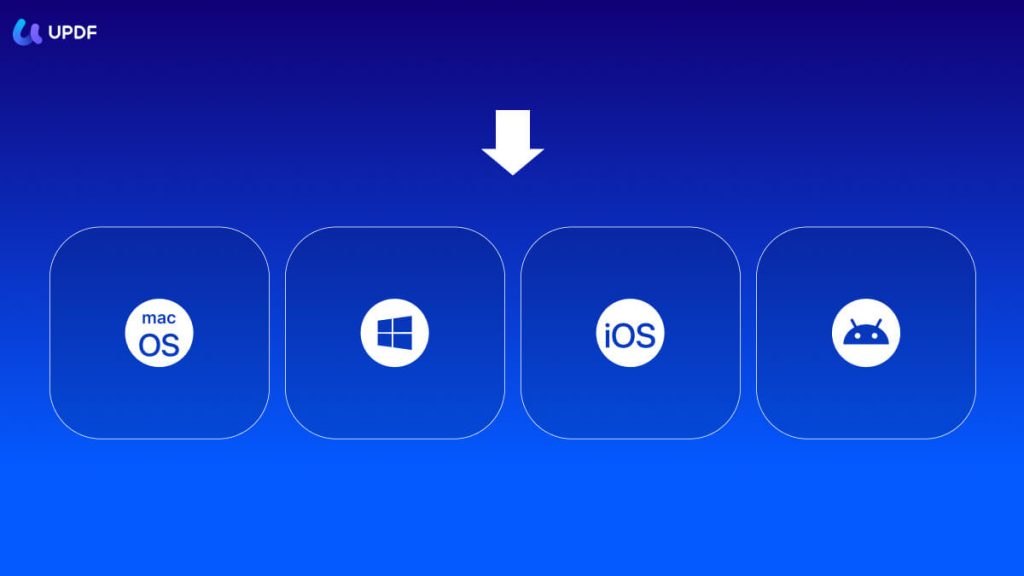
- Cross-Platform Availability: Available for Windows, Mac, iOS, and Android.
Note: Specific system requirements, file size limits, and detailed conversion format lists should be verified on the official UPDF download page, as these details can change with software updates.
What reviewers say
Reviews from YouTube say this about the UPDF.
On YouTube, one reviewer noted, "I can just simply move them around and just take a look at how responsive it is and how easy it is to move images around, text around." This responsiveness is often the first thing users notice when switching from heavier, slower PDF tools; if the interface feels snappy when dragging elements, the daily editing experience tends to feel less frustrating. Confirm details on the current product page.
Another YouTube creator stated, "In this video I will carefully review UPDF and by the end you will know exactly is UPDF actually worth it." This kind of detailed, verdict-focused review is helpful for buyers who want to know if the subscription or purchase price is justified by the actual feature set, rather than just the marketing claims.
A third video is titled, "Best Adobe Alternative!? UPDF Review." For many users, the primary question is whether UPDF can handle the tasks they previously did in Adobe Acrobat, and having a direct comparison helps set realistic expectations for what the tool can and cannot do.
Who it's for
UPDF is designed for users who view PDFs as active work products rather than static files.
- Freelancers and Consultants: If you send and receive contracts, proposals, and reports, the ability to edit text directly and convert files to Word or other formats saves time on manual re-typing.
- Students and Researchers: The AI chat feature allows you to ask questions about long documents, which can help summarize key points or extract specific data from dense academic papers.
- Cross-Platform Users: If you work on a desktop at the office and need to review or annotate on a mobile device, the sync capability ensures your work is where you are. See options
Who should skip
Not every PDF need requires a full-featured editor, and UPDF may be overkill for some use cases.
- Casual Viewers: If you only read PDFs and never need to edit, annotate, or convert them, a free, lightweight viewer is likely sufficient and Download UPDF may not be necessary.
- Graphic Design Professionals: If your work involves complex vector graphics, multi-page layout design, or specialized pre-press checks, dedicated design software will still be required.
- Enterprise Users with Strict Legacy Needs: If your organization relies on specific, legacy PDF workflows that are deeply integrated into other enterprise software, verify compatibility before switching.
Mid-check
If the criteria above already match how you actually use the space, stop here and check current options before you keep reading comparison noise. Confirm details on the current product page.
How to choose in five minutes
- Identify your primary task: Do you need to edit text, convert files, or use AI? If you only need to view, you don't need this. See options
- Check your OS: Confirm you are using Windows, Mac, iOS, or Android, as UPDF supports all these platforms.
- Review the AI features: If you want to chat with your PDFs, ensure the AI feature is included in the plan you are considering. See options
- Verify conversion needs: If you frequently convert PDFs to Word or Excel, check the official page for supported formats. See options
- Make the decision: If you need a cross-platform editor with AI, Download UPDF is a strong contender. If you only need a viewer, look for a lighter option.
FAQ
Is UPDF free to download? You can typically download and try UPDF to see if it fits your workflow. For full access to all features, including AI and advanced editing, a subscription or license is usually required. Check the official site for current pricing and trial options.
Does UPDF work on mobile? Yes, UPDF is available for iOS and Android, allowing you to edit and annotate PDFs on the go. This is a key advantage for users who need to work across multiple devices.
Can I use AI with my PDFs? Yes, UPDF 2.5 includes AI features that allow you to chat with your documents. This can be useful for summarizing, extracting information, or answering questions about the content.
Is UPDF a good alternative to Adobe? Many users find UPDF to be a capable alternative for common PDF tasks like editing, converting, and annotating. However, for highly specialized graphic design or pre-press work, Adobe may still be the preferred choice.
If the FAQ answered your main objections and you want current models or trial terms, see brand options.
Bottom Line
UPDF is a solid choice for anyone who needs a versatile, cross-platform PDF editor with modern AI capabilities. It simplifies the process of editing, converting, and annotating documents, making it a practical tool for professionals and students alike. If you are tired of juggling multiple PDF tools, Download UPDF and see if it streamlines your workflow.
Sources
- YouTube — https://www.youtube.com/watch?v=Aa9CwX4tkeA&t=71s
- YouTube — https://www.youtube.com/watch?v=TLVQ_IZBCxM&t=16s
- YouTube — https://www.youtube.com/watch?v=P7csXOfEJWk
Related Links