TP-Link USA Tapo S505D: Matter-Enabled Smart Dimmer Switch Review
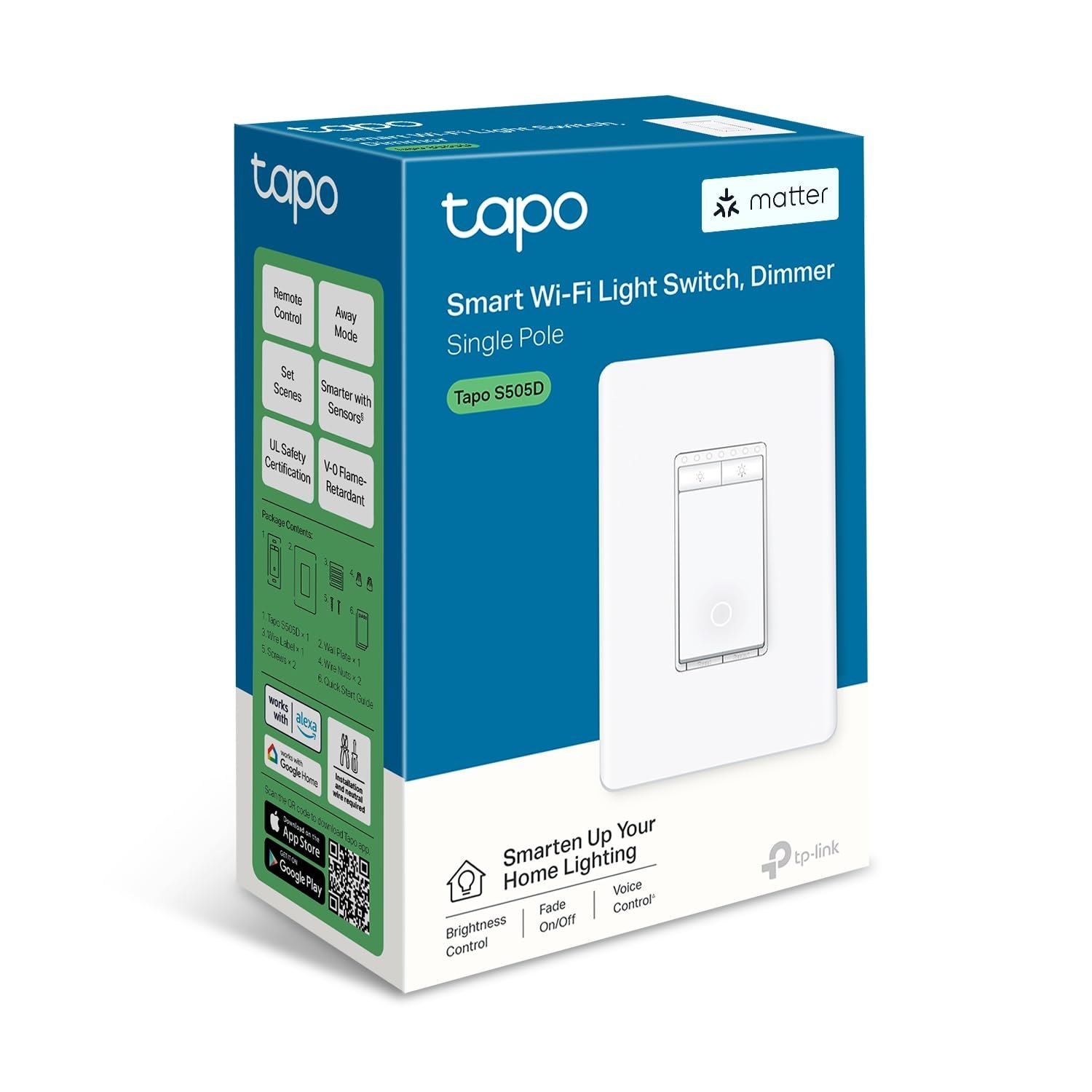
You do not need to replace every light fixture in the house to get smart lighting. The TP-Link USA Tapo S505D is a single-gang smart dimmer switch that drops into a standard wall box, connects to your Wi-Fi, and lets you fade a bulb from 100% to a low glow using your phone, a voice assistant, or the physical switch itself. It is designed for people who want Matter support without a hub, people who want HomeKit compatibility, and people who want to keep the tactile feel of a real wall switch while adding app control.
If you are searching for this exact SKU, you are likely comparing it against other Tapo switches or deciding if a dimmer is the right move for your specific room. This review breaks down what the official product page lists, what reviewers are saying about the S505D specifically, and who should walk away from this purchase. Confirm details on the current product page.
Quick Answer
| Best for | Homeowners with standard single-pole light circuits who want Matter, HomeKit, and Wi-Fi control without a hub. |
| Skip if | You have a 3-way switch setup, use 3-way/4-way multi-location controls, or have LED bulbs that require a neutral wire configuration that does not match your box. |
| One line | A reliable, hub-free Matter dimmer that keeps your existing wall switch functional while adding app and voice control. |
Swipe sideways to compare →
What actually changes the buy is fit, what you should skip, and which tradeoffs show up after week one — not a longer spec sheet. If you already know the job, see current options while you read the criteria.
Official Product Facts
The following details are drawn from the official TP-Link USA product page for the Tapo S505D.
| Feature | Detail |
|---|---|
| Product Name | TP-Link USA Tapo S505D |
| Type | Smart Dimmer Switch |
| Connectivity | Wi-Fi (2.4 GHz) |
| Smart Home Protocols | Matter, Apple HomeKit, Google Home, Amazon Alexa |
| Hub Required | No (works directly with Wi-Fi) |
| Control Methods | Wall switch, Tapo App, Voice Assistants |
| Dimming Range | 10% to 100% (verify specific bulb compatibility) |
| Wiring Requirement | Neutral wire required |
| Switch Type | Single-pole (not for 3-way/4-way multi-location setups) |
| Warranty | Verify current warranty terms on the TP-Link support page |
Swipe sideways to compare →
Note on Compatibility: The official page emphasizes that this switch works with most LED and incandescent bulbs, but dimmer compatibility can vary by bulb brand and wattage. Always check the specific bulb’s dimmable rating before installation. If you are unsure about your wiring, a licensed electrician should inspect the box. You can see current options.
What Reviewers Say
Reviews from YouTube say this about the TP-Link USA Tapo S505D.
One YouTube reviewer highlights the broad compatibility of the device, noting that the TP-Link Tapo S505 Smart Light Switch offers clear explanations for Matter, HomeKit, and voice control integration. This is a significant point for buyers who are hesitant about adding another proprietary ecosystem to their home; the fact that it speaks Matter means it can talk to Apple, Google, and Amazon devices without needing a bridge. ↗
Another video specifically praises the multi-admin capability of the Tapo S505, calling it an impressive feature. For households where multiple people need access to the same smart home controls, this is a practical benefit. It means your partner, roommate, or house manager can be added to the control list without sharing your primary account credentials, which simplifies daily use. ↗ Check the official listing before you buy.
A third reviewer points out that the Tapo app makes it easy to check light status and control the switch from anywhere, which is especially useful for travelers who want their home to look occupied. This remote access is a core job of the S505D, and the app’s interface is designed to make this status check and toggle action quick and intuitive, reducing friction when you are away from home. ↗ Confirm details on the current product page.
Who It’s For
The Tapo S505D is a focused tool for a specific type of smart home upgrade. It is not a whole-home solution, but it is a reliable single-point entry into smart lighting. Confirm details on the current product page.
- Matter-First Buyers: If you are building a new smart home or migrating from a fragmented setup, the S505D’s Matter support means it will work with your existing Apple, Google, or Amazon ecosystems without extra hardware.
- Hub-Free Enthusiasts: You do not need a Zigbee hub or a dedicated smart home bridge. The switch connects directly to your 2.4 GHz Wi-Fi network, which simplifies the installation process for those who want to avoid extra devices.
- Multi-User Households: The multi-admin feature is a genuine quality-of-life improvement for families or roommates who all need to control the same lights.
- Travelers: The remote status check and control via the Tapo app is a practical security and convenience feature for those who are away from home for extended periods. See options
You can explore more on how to set up your network for these devices in our guide to Wi-Fi Smart Home Setup. You can see current options.
Who Should Skip
This switch is not a universal solution. If your home wiring or lighting setup does not match the S505D’s requirements, you will face installation headaches or non-functionality. Confirm details on the current product page.
- 3-Way or 4-Way Switch Users: The S505D is designed for single-pole circuits. If your light is controlled by two or more switches in different locations, this model will not work correctly. You would need a 3-way smart switch solution instead.
- No Neutral Wire Homes: The S505D requires a neutral wire in the switch box. If your home has older wiring that does not include a neutral wire at the switch location, this device will not function.
- Non-Dimmable Bulb Users: If you are using bulbs that are explicitly labeled as non-dimmable, the S505D will not be able to dim them. You must use dimmable LED or incandescent bulbs.
- 5 GHz Wi-Fi Only Networks: The switch only connects to 2.4 GHz Wi-Fi. If your router is configured to broadcast only 5 GHz, you will need to enable the 2.4 GHz band or use a separate network for IoT devices. See options
For more on wiring considerations, see our Smart Switch Installation Guide. You can see current options.
Mid-check
If the criteria above already match how you actually use the space, stop here and check current options before you keep reading comparison noise. Confirm details on the current product page.
How to Choose in Five Minutes
- Check Your Wiring: Open the switch box (with power off) and confirm there is a neutral wire (usually white) present. If not, skip this SKU. See options
- Verify Your Switch Type: Ensure the light is controlled by only one switch. If there are multiple switches for the same light, this is not the right model. See options
- Confirm Bulb Compatibility: Check your current bulbs. They must be dimmable. If you have non-dimmable LEDs, plan to replace them. See options
- Check Your Wi-Fi: Ensure your router broadcasts a 2.4 GHz network. The S505D will not connect to 5 GHz only. See options
- Review Your Ecosystem: If you use Apple HomeKit, Google Home, or Amazon Alexa, the S505D is compatible. If you use a different ecosystem that does not support Matter or the Tapo app, you may need to verify compatibility. See options
If you are ready to proceed, you can See current options for the Tapo S505D.
FAQ
Does the Tapo S505D require a hub? No. The TP-Link USA Tapo S505D connects directly to your 2.4 GHz Wi-Fi network. It does not require a Zigbee hub or a dedicated smart home bridge.
Can I use the S505D with a 3-way switch setup? No. The S505D is designed for single-pole circuits. If your light is controlled by multiple switches, you will need a different model designed for 3-way or 4-way configurations. Check the official listing before you buy.
What voice assistants are supported? The S505D works with Amazon Alexa, Google Assistant, and Apple Siri (via HomeKit). It also supports Matter, which allows it to work with other Matter-compatible ecosystems. Check the official listing before you buy.
Is a neutral wire required? Yes. The TP-Link USA Tapo S505D requires a neutral wire in the switch box to function. If your home does not have a neutral wire at the switch location, this device will not work.
How do I add multiple users? The Tapo app supports multi-admin capability. You can add other users to your account so they can control the switch and view its status without sharing your primary login credentials. You can see current options.
If the FAQ answered your main objections and you want current models or trial terms, see brand options.
Bottom Line
The TP-Link USA Tapo S505D is a solid choice for homeowners who want a reliable, hub-free smart dimmer with broad ecosystem support. Its Matter compatibility, multi-admin feature, and straightforward Wi-Fi setup make it a practical option for most single-pole lighting circuits. If your wiring and bulb setup match the requirements, this switch delivers the core smart lighting functions—dimming, scheduling, and remote control—without the complexity of a hub-based system.
If you are ready to upgrade your lighting, you can See current options or explore the TP-Link USA Tapo S505D directly.
Sources
- YouTube — TP-Link Tapo S505 Smart Light Switch Review: Matter, HomeKit, and Voice Control Explained — https://www.youtube.com/watch?v=N9Xz8mn8lqQ
- YouTube — Another impressive feature of the Tapo S505 is its multi-admin capability — https://www.youtube.com/watch?v=q3Q4InMyJsY&t=74s
- YouTube — The Topo app makes it easy to check light status and control the switch from anywhere — https://www.youtube.com/watch?v=Mphw3ImbyzI&t=32s