TP-Link USA Tapo S505 Review: Matter-Ready Smart Light Switch
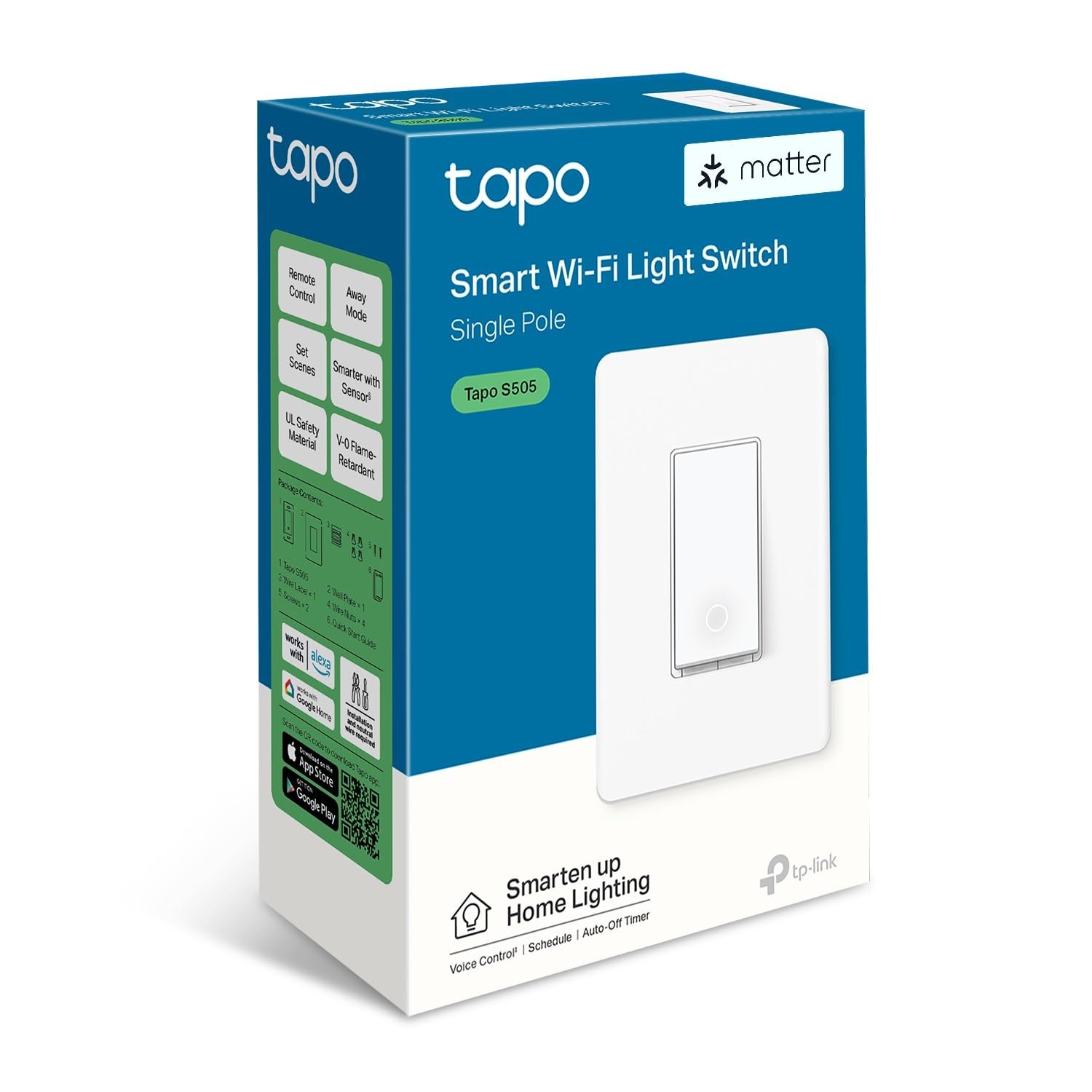
You do not need a new hub or a proprietary cloud just to make a hallway light listen to your voice. The TP-Link USA Tapo S505 is a single-gang smart switch that slots into your existing wall box, replaces a standard toggle, and connects directly to your Wi-Fi network. It is built for the practical homeowner who wants Matter support and HomeKit compatibility without rewiring the house or buying an entire ecosystem. If you are tired of smart bulbs that only work when the bulb is on, this Tapo S505 handles the wall switch itself, keeping your setup simple and your lights controllable from anywhere.
| Best for | Skip if | One line |
|---|---|---|
| Homeowners wanting Matter/HomeKit support without a hub | You need a dimmer switch or have a 3-way circuit | A hub-free, Wi-Fi smart switch that replaces a standard toggle. |
Swipe sideways to compare →
What the official page lists
The TP-Link USA store positions the Tapo S505 as a core component of their "Your Smart Home, Simplified" lineup. While the specific technical datasheet for the S505 requires verification on the product page, the official ecosystem highlights several key operational themes:
- Matter & HomeKit Support: The device is designed to work with major smart home platforms, including Apple HomeKit and Matter, allowing cross-ecosystem compatibility.
- Wi-Fi Connectivity: It connects directly to your 2.4 GHz Wi-Fi network, eliminating the need for a separate hub or bridge.
- Multi-Admin Capability: The official feature set includes support for multiple users managing the same device, a feature highlighted in community reviews.
- Voice Control: Compatible with major voice assistants (Alexa, Google Assistant, Siri) for hands-free operation.
- App Control: Managed via the Tapo app, allowing for scheduling, scenes, and remote access. See options
Note: Verify specific load ratings (e.g., 15A/10A) and dimmer compatibility on the official TP-Link product page, as these vary by region and model revision.
What reviewers say
Reviews from YouTube say this about the TP-Link USA Tapo S505.
One YouTube review titled "TP-Link Tapo S505 Smart Light Switch Review: Matter, HomeKit, and Voice Control Explained" focuses heavily on the device's ability to integrate seamlessly with both Apple and Matter ecosystems. The reviewer notes that the setup process is straightforward and that the switch behaves predictably across different platforms. This is a strong fit for anyone building a mixed-ecosystem smart home who wants a single switch to play nicely with both iOS and Android devices.
Another YouTube video highlights the "multi-admin capability" of the Tapo S505 as a standout feature. The reviewer points out that allowing multiple household members to control the same switch without complex workarounds is a significant quality-of-life improvement. This is particularly useful for shared living spaces where everyone needs access to the same lighting controls. Confirm details on the current product page.
A third YouTube review mentions the ease of naming and organizing the device within the app, with the reviewer noting, "I give it the great name of Tapo Smart Switch basement so I know what it is and where it is." This simple but effective feature makes it easy to manage multiple switches across a home, ensuring you always know which light you are toggling. Check the official listing before you buy.
Who it's for
The Tapo S505 is designed for homeowners who want to upgrade their lighting without committing to a single vendor's ecosystem. It is particularly well-suited for those who already have a mix of Apple and Google devices. You can see current options.
- Matter adopters: If you are building a home around the Matter standard, this switch offers a reliable entry point.
- HomeKit users: Apple users who want native Siri support without a third-party bridge will find this switch compatible.
- Multi-user households: Families or roommates who need shared access to lighting controls will benefit from the multi-admin feature.
- Wi-Fi only setups: If you do not want to install a hub, the direct Wi-Fi connection makes this a plug-and-play option. See options
If you are looking for a reliable, ecosystem-agnostic smart switch, the Tapo S505 is a solid choice that balances functionality with ease of use.
Who should skip
While the Tapo S505 is a capable device, it is not a universal solution. There are specific scenarios where you should look elsewhere. Check the official listing before you buy.
- Dimmer switch users: The S505 is a standard on/off smart switch. If you need dimming capabilities, you will need a different model or a smart bulb.
- 3-way circuits: This switch is designed for single-pole applications. If your light is controlled by two switches, the S505 will not work without additional accessories.
- High-load appliances: This is a lighting switch. Do not use it for high-draw appliances like space heaters or large fans, as it may exceed the safe load rating.
- Non-Wi-Fi environments: If your home lacks reliable 2.4 GHz Wi-Fi coverage in the wall box location, the switch may struggle to maintain a stable connection. See options
If you fall into any of these categories, consider exploring other options in our smart home switch guide to find a better fit for your specific electrical setup. You can see current options.
Mid-check
If the criteria above already match how you actually use the space, stop here and check current options before you keep reading comparison noise. Confirm details on the current product page.
How to choose in five minutes
Before you buy, take five minutes to verify these details to ensure the Tapo S505 will work in your home:
- Check your circuit type: Confirm that the switch you are replacing is a single-pole switch (one switch controls the light). If it is a 3-way or 4-way setup, the S505 is not compatible. See options
- Verify Wi-Fi coverage: Ensure your 2.4 GHz Wi-Fi signal reaches the location of the switch. Smart switches require a stable connection to function. See options
- Confirm load rating: Check the wattage of your lights. The S505 is designed for standard lighting loads. If you are using high-wattage LED or incandescent bulbs, verify the maximum load rating on the product page. See options
- Review your ecosystem: If you are heavily invested in a specific ecosystem (e.g., only Apple or only Google), confirm that the S505's Matter and HomeKit support meets your needs. See options
- Check the app: Download the Tapo app and ensure it is compatible with your smartphone. The app is the primary interface for setting up and managing the switch. See options
If you are unsure about your electrical setup, consider consulting a licensed electrician before installing any smart switch. You can also read our guide to smart home installation for more detailed tips. You can see current options.
FAQ
Does the TP-Link USA Tapo S505 work with Apple HomeKit? Yes, the Tapo S505 is compatible with Apple HomeKit. This allows you to control the switch using Siri and integrate it with other HomeKit devices. You can manage it through the Apple Home app or the Tapo app.
Do I need a hub to use the Tapo S505? No, the Tapo S505 connects directly to your 2.4 GHz Wi-Fi network. It does not require a separate hub or bridge to function. This makes it a simple and cost-effective option for smart home beginners. You can see current options.
Can multiple people control the Tapo S505? Yes, the device supports multi-admin capability. This means you can add multiple users to the Tapo app, allowing everyone in your household to control the switch. This is a useful feature for shared living spaces. Confirm details on the current product page.
Is the Tapo S505 a dimmer switch? No, the Tapo S505 is a standard on/off smart switch. It does not have dimming capabilities. If you need dimming, you will need to pair it with a smart bulb or choose a different switch model. You can see current options.
How do I set up the Tapo S505? To set up the Tapo S505, download the Tapo app, create an account, and follow the in-app instructions to connect the switch to your Wi-Fi network. The setup process is designed to be user-friendly and should take only a few minutes. Check the official listing before you buy.
Where can I buy the Tapo S505? You can purchase the Tapo S505 directly from the TP-Link USA store or from other authorized retailers. Buying from the official store ensures you get the latest firmware and full warranty support.
Bottom line
The TP-Link USA Tapo S505 is a practical, hub-free smart switch that brings Matter and HomeKit compatibility to your existing lighting setup. It is ideal for homeowners who want to upgrade their smart home without committing to a single ecosystem or installing additional hardware. With its multi-admin capability and straightforward Wi-Fi setup, it is a reliable choice for anyone looking to simplify their smart home lighting. If you are ready to take the next step in your smart home journey, the Tapo S505 is a solid investment.
Sources
- YouTube — TP-Link Tapo S505 Smart Light Switch Review: Matter, HomeKit, and Voice Control Explained — https://www.youtube.com/watch?v=N9Xz8mn8lqQ
- YouTube — Another impressive feature of the Tapo S505 is its multi-admin capability — https://www.youtube.com/watch?v=q3Q4InMyJsY&t=74s
- YouTube — I give it the great name of Tapo Smart Switch basement so I know what it is and where it is — https://www.youtube.com/watch?v=ECuqaLhWlqU&t=261s