Rexing M2 Review: The 12\" Mirror Dash Cam That Handles Front and Rear
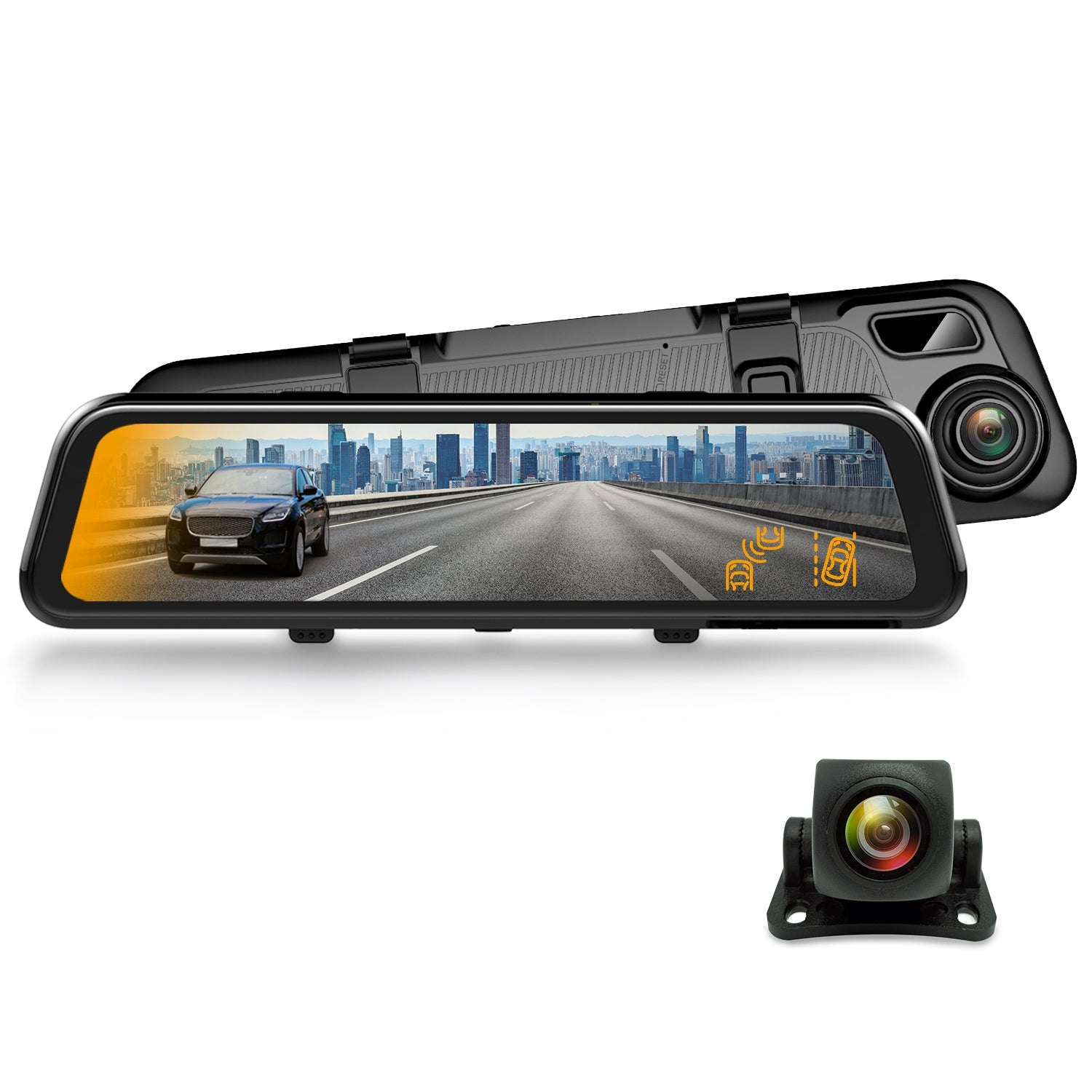
Most dash cams bolt to your windshield and leave your mirror untouched. The Rexing M2 takes a different path: it is the mirror. A 12-inch IPS touch screen sits where your standard rearview used to be, streaming a live 1080p feed from the rear camera while the front lens records the road ahead. Add GPS logging, built-in media streaming, and ADAS driver-assist alerts, and it starts to feel less like a security gadget and more like a cockpit upgrade. If you’ve ever wanted a single device that replaces the mirror, handles parking surveillance, and keeps a timestamped record of every trip, the Rexing M2 is the model built for that job.
| Best for | Drivers who want a true mirror-replacement dash cam with front + rear 1080p recording, GPS, and a large touch display |
| Skip if | You prefer a small, discreet windshield cam or don’t want to swap out your factory rearview mirror |
| One line | A 12" smart mirror dash cam that records front and rear in 1080p, logs GPS, and streams media — all in one unit |
Swipe sideways to compare →
What the Official Page Lists
The Rexing M2 is a dual-lens (front + rear) mirror dash cam. Here’s what the product page specifies:
| Spec | Detail |
|---|---|
| Display | 12" IPS Touch Screen |
| Front Camera | 1080p |
| Rear Camera | 1080p |
| GPS | Built-in |
| Connectivity | Wi-Fi, App Control (Rexing Connect) |
| Media | Stream media via the touch screen |
| Driver Assist | ADAS alerts (BSD / Smart BSD features) |
| Power | Cigarette plug (parking mode requires hardwire for reliable battery draw) |
Swipe sideways to compare →
A few details to confirm on the Rexing product page before you buy: the exact storage capacity supported (microSD), whether the rear camera cable length suits your vehicle, and current firmware features for the ADAS alerts. The page also notes that parking-mode recording works best when the unit is hardwired to a constant-power fuse rather than a cigarette-plug that cuts off with the ignition.
What Reviewers Say
Reviews from Amazon and YouTube say this about the Rexing M2.
Amazon. One buyer called it “Good quality and easy install” in a five-star review, noting the straightforward setup process for a mirror-style unit. That’s exactly the kind of feedback you want when you’re swapping out a factory mirror — the install should be a 20-minute job, not a weekend project. Another Amazon reviewer gave it five stars and simply called it a “very cool product,” which tracks with the fact that a 12-inch touch screen doing double duty as a dash cam and media player is still a novelty in most vehicles. A third Amazon review rated it four stars, noting it “doesn’t quite replace rear view mirror” in terms of field-of-view feel, which is a fair and honest caveat for anyone who’s used to a wide, unobstructed glass mirror. You can see current options.
YouTube. A reviewer covering the Rexing M2 front and rear setup said, “I think it has a lot a lot of really great features,” a line that lands because the M2 genuinely packs GPS, ADAS alerts, media streaming, and dual-lens recording into one mirror unit. A separate YouTube video walks through an open-box review and install on a Ford F-150, showing the 12-inch screen in a full-size truck cab where the larger display size makes the rear feed easier to read at a glance.
Who It’s For
The Rexing M2 makes the most sense if your priority is a single, integrated device rather than a stack of small cameras.
- You drive a vehicle where a 12-inch display fits well — trucks, SUVs, and larger sedans benefit most because the screen size is proportional to the cab.
- You want front and rear coverage without a second camera on the windshield. The M2 handles both lenses from one mirror unit, cutting down on visible hardware.
- GPS logging matters to you. Whether for insurance disputes, trip records, or fleet tracking, the built-in GPS stamps every clip with location and speed.
- You like the idea of a media screen in your mirror. The 12-inch IPS display can stream media, which is a nice bonus if you spend long stretches in traffic.
- You’re comfortable with a hardwire install for parking mode. If you want the camera to keep recording while the car is parked, a hardwire kit (available from Rexing) is the reliable path.
Who Should Skip
Not every driver needs a mirror-replacement cam, and the M2’s form factor is a commitment. You can see current options.
- You prefer a small, low-profile windshield cam. The M2 is a 12-inch unit that replaces your rearview mirror. If you want something that disappears behind the glass, a compact dash cam is a better fit.
- Your vehicle has a very narrow rearview space. Some compact cars and convertibles have tight mirror mounts; measure before you buy.
- You don’t want to touch your factory mirror setup. The install involves removing your existing rearview mirror and mounting the M2 in its place.
- You only need a front camera. If rear coverage isn’t a priority, a single-lens model like the Rexing C1 2K Front Dash Cam might be simpler and cheaper.
- You’re sensitive to screen glare. A 12-inch display in bright sunlight is more glass than a small cam. If you’re driving in high-desert or coastal glare, test the unit in daylight before committing.
Mid-check
If the criteria above already match how you actually use the space, stop here and check current options before you keep reading comparison noise. Confirm details on the current product page.
How to Choose in Five Minutes
- Measure your mirror space. The M2 is 12 inches wide. Check your vehicle’s rearview mirror mount and make sure the unit will sit flush without blocking your view of the road. See options
- Decide on power. Cigarette-plug power is the easiest start, but if you want parking-mode recording, budget for a Rexing Smart Hardwire Kit and a 30-minute install.
- Check the app. Download Rexing Connect and confirm your phone can pair with the M2 over Wi-Fi before you mount the unit.
- Pick your storage. The M2 uses a microSD card. Get a high-endurance card (at least 128 GB for dual-lens 1080p) so you don’t run out of space mid-trip. See options
- Compare against your needs. If you only need front coverage, the Rexing C1 is a leaner option. If you want 4K front resolution, the Rexing F30 4K+1080p Dual Dash Cam is the step up. The M2 sits in the middle: 1080p on both lenses, big screen, GPS, and ADAS in one package.
FAQ
Does the Rexing M2 replace my rearview mirror? Yes. The 12-inch IPS screen mounts in place of your factory rearview mirror and displays a live feed from the rear camera. You do keep a small physical mirror element, but the primary rear view is the screen.
Can I use it without a hardwire kit? Yes. Plug it into a 12V cigarette adapter and it records while the car is on. For parking-mode recording that survives the ignition being off, a hardwire kit is the recommended setup. Confirm details on the current product page.
What’s the difference between the M2 and the M2 Max Pro? The M2 Max Pro is a higher-resolution variant in the same mirror family. The base M2 records 1080p on both lenses; the Max Pro steps up to 4K on the front. If you want the best possible front-cam detail, the M2 Max Pro is the model to look at.
Does it work with the Rexing Connect app? Yes. The M2 pairs over Wi-Fi with the Rexing Connect app, which lets you preview live feeds, download clips, and adjust settings from your phone.
Is there a warranty? Rexing USA provides a standard warranty on the M2; confirm the current warranty window and return terms on the Rexing support page before purchase, as terms can shift with firmware updates.
Bottom Line
The Rexing M2 is the dash cam for drivers who want to do more with the space behind the steering wheel. A 12-inch touch screen that records front and rear in 1080p, logs GPS, streams media, and fires ADAS alerts is a lot of hardware in one mirror-shaped package. It’s not the smallest or the cheapest option in the Rexing lineup, but if your priority is an integrated, screen-forward cockpit upgrade rather than a hidden windshield cam, it’s the model that fits. Pair it with a hardwire kit and a high-endurance microSD card, and you’ve got a system that records, navigates, and entertains from the spot where your mirror used to be.
Sources
- Amazon review — https://www.amazon.com/gp/customer-reviews/R1XNPNKZ09IRGQ
- Amazon review — https://www.amazon.com/gp/customer-reviews/R1L04ATHWQNDS5
- Amazon review — https://www.amazon.com/gp/customer-reviews/R2K1QV97OSPXL3
- YouTube — https://www.youtube.com/watch?v=gDWzqvuQhDs
- YouTube — https://www.youtube.com/watch?v=rEDDAuKR1T4
- YouTube — https://www.youtube.com/watch?v=3HVYCiIFttE&t=147s
Related