Mobile Pixels Duex Pro Review: The Dual-Screen Attachable Laptop Monitor
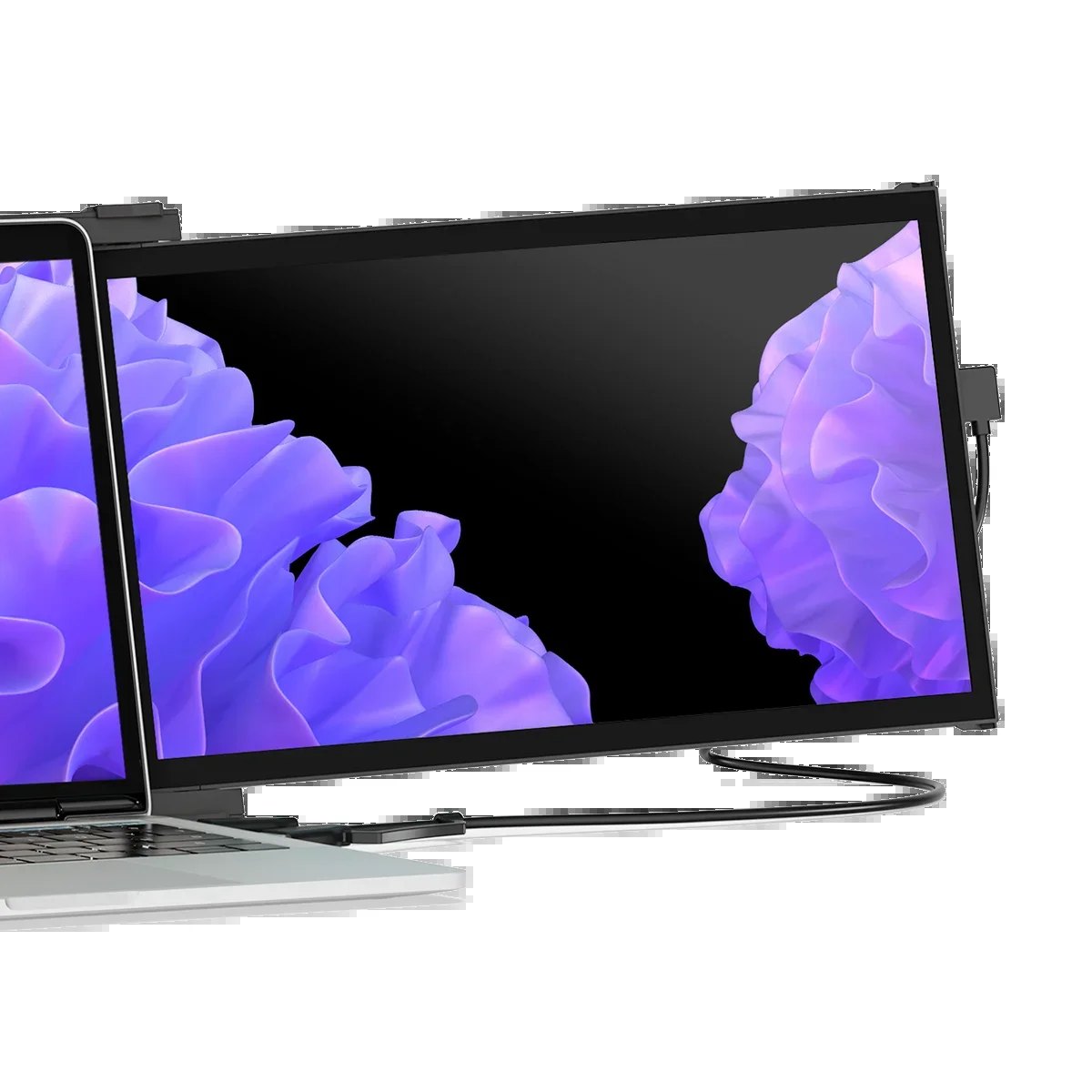
If your laptop screen feels cramped when you are coding, editing video, or managing spreadsheets, the Mobile Pixels Duex Pro is designed to solve that exact bottleneck. It is not a generic portable monitor; it is a 12.5-inch dual-screen system that attaches directly to the side of your laptop, effectively turning a single display into a three-screen workspace. You do not need a desk, a stand, or a separate power adapter for the monitor itself in most configurations, which makes it a compelling option for remote workers who travel or operate from hotel rooms and co-working spaces.
The core job of this device is to expand your real estate without adding bulk to your bag. By mounting the unit to your existing laptop, you gain a dedicated secondary (and tertiary, since the Duex Pro is dual-panel) canvas for chat apps, reference documents, or timelines. If you are looking for a setup that stays with you, the Mobile Pixels Duex Pro offers a form factor that traditional external monitors simply cannot match.
Quick Answer
| Category | Details |
|---|---|
| Best for | Travelers, remote workers, and creators who need extra screen space on the go. |
| Skip if | You need a large, stationary desktop setup or require 4K resolution on a portable unit. |
| One line | A 12.5-inch dual-screen attachable monitor that expands your laptop into a three-screen workstation. |
Swipe sideways to compare →
What actually changes the buy is fit, what you should skip, and which tradeoffs show up after week one — not a longer spec sheet. If you already know the job, see current options while you read the criteria.
Official Facts & Specs
Based on the official Mobile Pixels product page and available research, here are the key details for the Duex Pro. Note that specific pixel pitch and exact weight figures can vary by firmware or regional variant, so verify the current datasheet on the brand site for your specific configuration.
| Feature | Detail |
|---|---|
| Screen Size | 12.5 inches (Dual-panel configuration) |
| Connection | Attachable to laptop (USB-C/Thunderbolt compatible depending on laptop) |
| Warranty | 2-year warranty/guarantee |
| Returns | 30-day return/money-back window |
| Shipping | Free shipping mentioned on official site (confirm regions) |
| Key Benefit | Ergonomic expansion without needing a separate stand or desk space |
Swipe sideways to compare →
The Mobile Pixels brand emphasizes ergonomic design in its product themes, and the Duex Pro fits squarely into that philosophy by allowing you to position screens at a comfortable angle relative to your laptop. The 2-year warranty provides a safety net for a device that will be physically attached to your primary computer, and the 30-day return window allows you to test the fit with your specific laptop model before committing.
What reviewers say
Reviews from Amazon and YouTube say this about the Mobile Pixels Duex Pro.
On Amazon, one user titled their review "Pretty Perfect," giving the device 5 out of 5 stars. This sentiment aligns with the core promise of the product: a seamless, high-quality expansion of your workspace that feels like a natural extension of your laptop rather than an add-on. Another Amazon reviewer, noting the "Mobile Pixels Deux Pro 2," also awarded 5 stars, highlighting the reliability of the brand's attachable monitor ecosystem.
YouTube reviewers have focused heavily on the setup process and the visual impact. A video titled "Mobile Pixels Duex Pro Laptop Monitor Review And Setup" walks through the installation, emphasizing how quickly the device can be deployed. Another creator, in a video titled "Mobile Pixels Duex Pro Review and Installation!!," demonstrates the physical attachment, which is crucial for buyers wondering how stable the unit is during travel. A third video, "Mobile Pixels DUEX PRO review!", further reinforces the utility of having a dual-screen portable option for on-the-go work.
Who it's for
This product is specifically engineered for professionals who are constantly on the move and refuse to sacrifice productivity for portability. Confirm details on the current product page.
- Remote Workers & Digital Nomads: If you work from cafes, airports, or hotel rooms, the Duex Pro eliminates the need to find a desk large enough for two separate monitors. It turns any flat surface, or even a lap, into a full workstation.
- Video Editors & Coders: These roles benefit most from vertical or side-by-side screen real estate. Having a dedicated panel for code, timelines, or chat apps reduces the constant window-switching that breaks focus.
- Frequent Flyers: The attachable nature means you don't have to pack a separate monitor, stand, and cables. It travels with your laptop, making it easier to navigate security and boarding.
Who should skip
If your workflow is stationary or requires high-resolution output for specific professional tasks, this device may not be the right fit. Confirm details on the current product page.
- Desktop-Only Users: If you have a dedicated desk at home or in the office, a standard 27-inch or 32-inch external monitor will offer better value, larger screen real estate, and often higher resolution.
- 4K Enthusiasts: The Duex Pro is a portable solution, not a high-end desktop display. If you require 4K resolution for color-critical work or gaming, look at Mobile Pixels’ desktop options like the 27" Mini LED or similar large-format monitors.
- Gamers on the Go: While usable for casual gaming, the primary design intent is productivity. If you are looking for a portable monitor primarily for high-refresh-rate gaming, a single-panel portable monitor with a higher refresh rate might be a better choice.
Mid-check
If the criteria above already match how you actually use the space, stop here and check current options before you keep reading comparison noise. Confirm details on the current product page.
How to choose in five minutes
- Check your laptop's ports: Ensure your laptop has a USB-C or Thunderbolt port capable of video output. The Mobile Pixels Duex Pro relies on these connections for both power and data.
- Verify your laptop's thickness: The attachable mechanism needs to clamp securely. If your laptop has an unusually thick case or a bulky hinge, confirm compatibility with the Duex Pro’s mounting system. See options
- Assess your workflow: Do you actually use a second screen? If you only use your laptop for email and web browsing, the extra cost may not be justified. If you multitask heavily, the ROI is high. See options
- Review the warranty: Note the 2-year warranty and 30-day return policy. This is a significant advantage over many generic portable monitors, giving you time to test the fit and function. See options
- Compare with other Mobile Pixels options: If you need more screen space than the Duex Pro offers, consider the Trio 3 Pro or the Duex Float 2 Pro, which offer different form factors and resolutions.
FAQ
Does the Mobile Pixels Duex Pro require a separate power adapter? In most configurations, the Duex Pro draws power from your laptop via USB-C/Thunderbolt. However, if your laptop has limited power delivery, you may need a powered hub. Check the specific power requirements for your laptop model.
Can I use the Duex Pro with a Mac? Yes, the device is compatible with MacBooks and other laptops with USB-C or Thunderbolt ports. The setup is straightforward, often requiring no additional drivers for basic display extension. Confirm details on the current product page.
What is the warranty coverage? Mobile Pixels offers a 2-year warranty on the Duex Pro. This covers manufacturing defects and ensures you are protected if the device fails under normal use. You can verify the current terms on the Mobile Pixels support page.
Is the screen quality good for color work? The screen is designed for general productivity and media consumption. For professional color grading or print work, you may want to consider a higher-end monitor with a wider color gamut, such as the Geminos X or other professional-grade displays from Mobile Pixels.
Bottom Line
The Mobile Pixels Duex Pro is a niche product that solves a very specific problem: the need for multi-screen productivity in a portable form factor. It is not a replacement for a desktop setup, but it is an excellent tool for professionals who need to expand their workspace without the bulk of traditional external monitors. With a 2-year warranty and a 30-day return policy, the risk of trying it is low. If you are a frequent traveler or remote worker who feels constrained by a single laptop screen, the Mobile Pixels Duex Pro is worth considering.
Sources
- Amazon Review — https://www.amazon.com/gp/customer-reviews/RIAOR1A5CVZ4F
- Amazon Review — https://www.amazon.com/gp/customer-reviews/R1XCTG5BZMC0TN
- YouTube — https://www.youtube.com/watch?v=07sCcHyNgzc
- YouTube — https://www.youtube.com/watch?v=6sc3fDdr-cA
- YouTube — https://www.youtube.com/watch?v=t9g1RvHNS0M
Related Links