Mobile Pixels DUEX Plus DS 13.3 Review: The Dual-Screen Portable Monitor
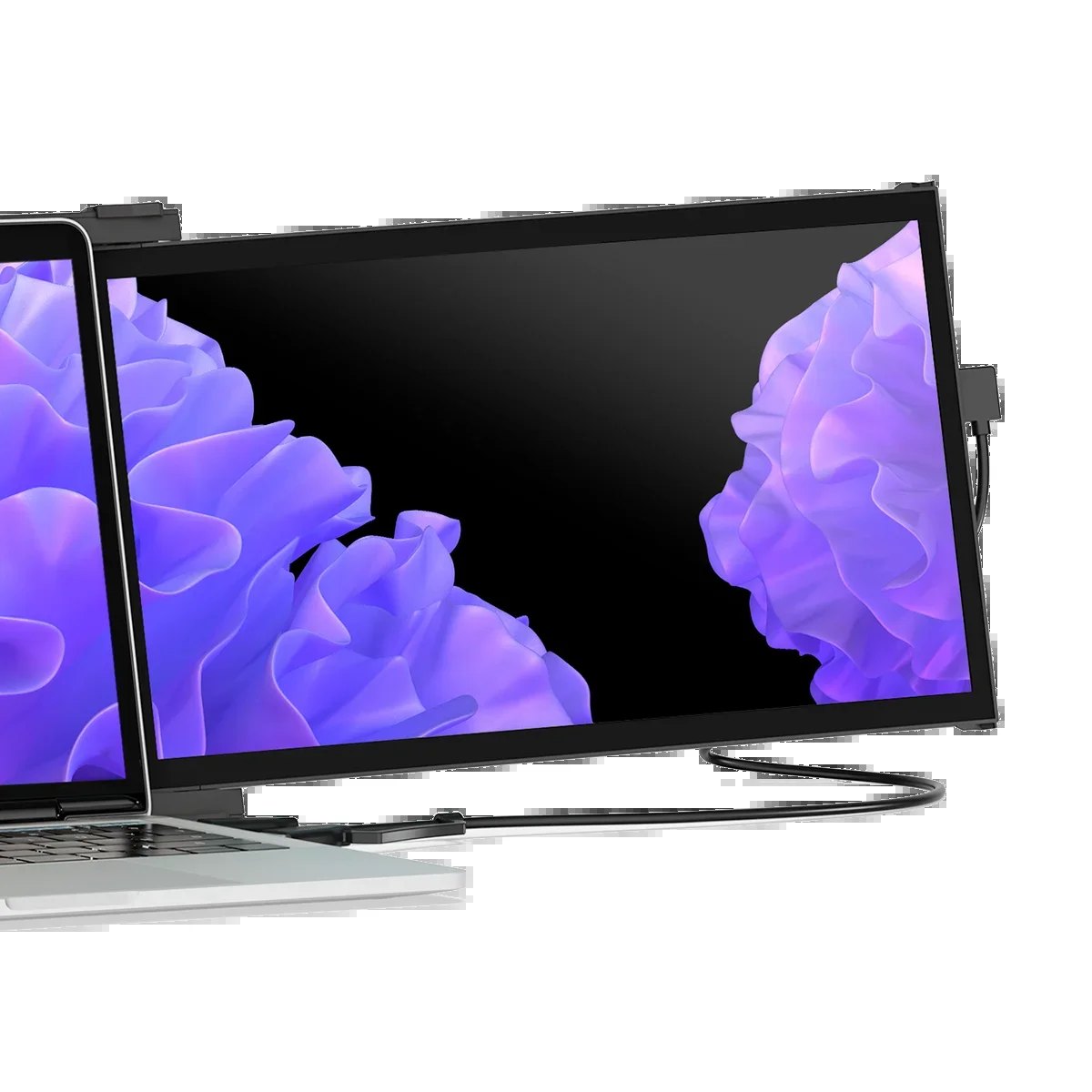
If you are a traveler, a remote worker, or a student who feels cramped on a single 14-inch laptop screen, the Mobile Pixels DUEX Plus DS 13.3 is built to solve that specific frustration. It is not a traditional monitor you plug into a desk; it is a portable dual-screen unit that clips onto the back of your laptop, effectively turning a single display into a workspace with two screens. The "DS" in the name stands for Dual Screen, and the 13.3-inch size is chosen to match the most common laptop form factors without making the setup feel like you are carrying a brick. For those who need to split their workflow—code on one side, documentation on the other, or a spreadsheet next to a video call—this device turns any surface into a command center. You can explore the current availability and pricing for this specific model by checking the Mobile Pixels store to see if the current stock matches your needs.
Quick Answer
| Best For | Skip If | One Line |
|---|---|---|
| Remote workers and travelers who need a second screen without a desk. | Gamers needing high refresh rates (144Hz+) or low-latency input. | A 13.3-inch dual-screen portable monitor that clips to your laptop for instant workspace expansion. |
Swipe sideways to compare →
What actually changes the buy is fit, what you should skip, and which tradeoffs show up after week one — not a longer spec sheet. If you already know the job, see current options while you read the criteria.
Official Specs and Facts
The official Mobile Pixels product page for the DUEX series provides the following baseline information. Note that the DUEX Plus DS 13.3 is part of the broader DUEX lineup, and specific panel technologies (such as IPS vs. TN) and exact weight can vary slightly by batch or region, so verify the final spec sheet on the product page before purchase.
| Feature | Detail |
|---|---|
| Product Name | Mobile Pixels DUEX Plus DS 13.3 |
| Display Type | Dual-Screen Portable Monitor |
| Screen Size | 13.3 inches (per unit) |
| Connectivity | USB-C (typically single-cable for power and video) |
| Warranty | 2-year warranty/guarantee (official site) |
| Shipping | Free shipping mentioned on official site (confirm regions) |
| Returns | 30-day return/money-back window mentioned (official site) |
| Key Benefit | Doubles screen real estate on the go |
Swipe sideways to compare →
The brand emphasizes a "2 Years of Peace of Mind" warranty, which is a significant differentiator in the portable monitor space where many competitors offer only a 1-year guarantee. This coverage, combined with the 30-day return window, suggests a confidence in the product's durability for frequent travel. If you are weighing this against other portable options, the Mobile Pixels lineup includes other sizes like the DUEX Lite, but the 13.3-inch DS model is the sweet spot for most 14-inch laptops.
What reviewers say
Reviews from YouTube say this about the Mobile Pixels DUEX Plus DS 13.3.
On YouTube, a reviewer covering the DUEX Lite and DUEX Plus models highlights the immediate productivity boost of having a dual-screen setup on the go. The video, titled "Dual-Screen Laptop Monitors! Mobile Pixels DUEX Lite & DUEX Plus Review!", focuses on how the device transforms a single laptop into a multi-tasking powerhouse without the bulk of a traditional external monitor. This aligns with the core promise of the DUEX Plus: that you don't need a desk to have a professional-grade workspace.
Another YouTube review, "Boost Your Productivity On-the-Go: Mobile Pixels Duex Plus Review," specifically calls out the "Dual Screen Magic for Any Laptop." The creator emphasizes how the form factor fits seamlessly with standard laptop sizes, reinforcing that the 13.3-inch dimension is not an afterthought but a deliberate design choice to match the most common portable computers. This fit is crucial for users who want to clip the monitor on and off quickly in coffee shops, airports, or co-working spaces.
A third perspective comes from a video titled "Double Your Screen Anywhere: Mobile Pixels Duex Review," which underscores the portability aspect. The reviewer notes that the ability to double your screen real estate in any location is a game-changer for those who are constantly moving between environments. This sentiment supports the idea that the DUEX Plus is less of a static display and more of a flexible tool for mobile professionals.
Who it's for
The DUEX Plus DS 13.3 is designed for people whose work lives on the move. If you are a consultant who presents from a client's office, a developer who codes in transit, or a student who needs to reference lecture slides while taking notes, this device removes the bottleneck of a single screen. Confirm details on the current product page.
- Remote Workers: You can keep your email and chat apps on the top screen while your main project runs on the bottom, reducing the need to alt-tab constantly.
- Travelers: It fits in a standard backpack and doesn't require a power outlet to function, making it ideal for long-haul flights or hotel stays.
- Content Creators: You can monitor live feeds or social media reactions on one screen while editing on the other, all within the footprint of a laptop. See options
If you are considering this for your workflow, you might also look at how it pairs with other portable peripherals in our guide to best travel tech for remote work. Check the official listing before you buy.
Who should skip
Not everyone benefits from a dual-screen portable setup. If your work is primarily single-window focused, or if you require high-performance gaming visuals, this is not the right tool. Confirm details on the current product page.
- Gamers: The DUEX Plus is a productivity monitor, not a gaming display. It lacks the high refresh rates (144Hz+) and low response times (1ms) found in dedicated gaming monitors. If you play fast-paced titles, stick to a standard portable gaming monitor or a desktop setup.
- Desk-Only Users: If you never leave your home office, a traditional 27-inch or 32-inch desktop monitor will offer better value, higher resolution, and better ergonomics. The DUEX Plus is optimized for portability, not static desk use.
- MacBook Users with Limited USB-C Ports: While the DUEX Plus uses USB-C, some older or budget laptops may not support video output over USB-C. Verify your laptop's capabilities before purchasing. You can check compatibility details on the Mobile Pixels support page.
For those who decide the dual-screen format isn't for them, you might prefer a single, larger portable display. Our guide to best portable monitors for 4K work covers alternatives that prioritize resolution over screen count. You can see current options.
Mid-check
If the criteria above already match how you actually use the space, stop here and check current options before you keep reading comparison noise. Confirm details on the current product page.
How to choose in five minutes
Deciding if the DUEX Plus DS 13.3 is right for you comes down to three quick checks. You can see current options.
- Check Your Laptop Size: The 13.3-inch screen is designed to match laptops in the 13-inch to 15-inch range. If you have a 17-inch laptop, the DUEX Plus may look small or unbalanced. If you have a 12-inch laptop, it will work but may feel slightly larger than the base unit. See options
- Verify USB-C Video Output: Open your laptop's manual or settings and confirm that your USB-C port supports DisplayPort Alt Mode. Without this, the monitor will not display video. The Mobile Pixels product page lists compatible devices, but a quick check of your own hardware is essential.
- Assess Your Workflow: Do you actually use two screens at home? If you currently use a single monitor and feel fine, the DUEX Plus may be an unnecessary expense. If you constantly feel cramped, the productivity gain is likely worth the investment. See options
If you are still on the fence, consider the total cost of ownership. The 2-year warranty and 30-day return policy lower the risk, but the initial price is higher than a single-screen portable monitor. You can see if there are any current bundles or discounts by visiting the official store.
FAQ
Does the Mobile Pixels DUEX Plus DS 13.3 work with MacBooks? Yes, it works with MacBooks that have USB-C ports supporting DisplayPort Alt Mode. Most MacBooks from 2016 onwards support this. You can verify your specific model's capabilities on the Mobile Pixels compatibility page.
Is the warranty the same as other Mobile Pixels products? The DUEX Plus DS 13.3 comes with a 2-year warranty, which is consistent with the brand's higher-tier products. Some lower-tier or desktop monitors from Mobile Pixels may have a 1-year warranty, so it is important to check the specific product page for the exact terms.
Can I use the DUEX Plus as a primary monitor? Yes, you can use it as a primary monitor if you disconnect your laptop's screen or use it in a setup where the DUEX is the main display. However, it is most effective as a secondary screen to extend your desktop. You can see current options.
What is the difference between the DUEX Plus and the DUEX Lite? The DUEX Plus is the dual-screen version (two 13.3-inch screens), while the DUEX Lite is typically a single-screen portable monitor. The DUEX Plus offers more screen real estate but at a higher price point and slightly more bulk. Check the official listing before you buy.
Bottom Line
The Mobile Pixels DUEX Plus DS 13.3 is a specialized tool for people who need more screen space without the baggage of a traditional desktop setup. It is not a replacement for a high-end desktop monitor, but it is an excellent solution for the modern mobile professional who feels constrained by a single laptop display. With a 2-year warranty and a 30-day return window, the risk of trying it out is low. If you work on the go and multitask heavily, this device can transform your workflow.
Sources
- YouTube — Dual-Screen Laptop Monitors! Mobile Pixels DUEX Lite & DUEX Plus Review! — https://www.youtube.com/watch?v=8CTkJmQXwnw
- YouTube — Boost Your Productivity On-the-Go: Mobile Pixels Duex Plus Review — https://www.youtube.com/watch?v=W8dt-jTi0dE
- YouTube — Double Your Screen Anywhere: Mobile Pixels Duex Review — https://www.youtube.com/watch?v=1MQA8ugj4VA
Related Links