Malwarebytes Digital Footprint: Review
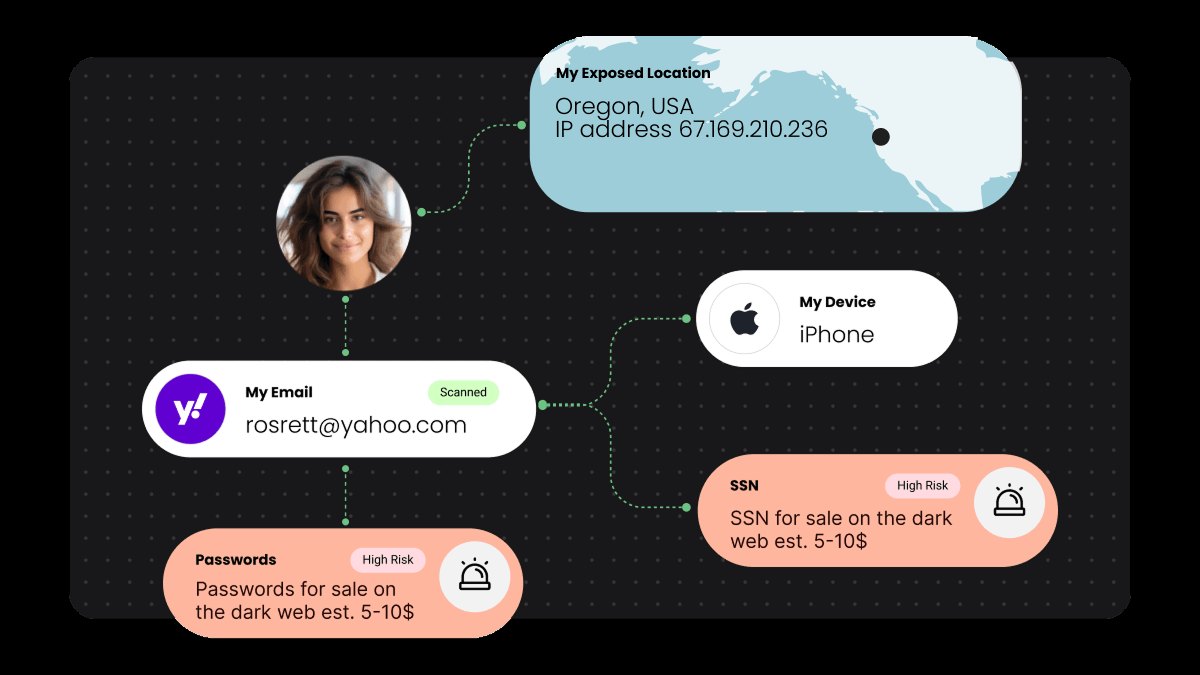
You type your email into a signup form, and within days, your phone number, address, and name show up in a data broker's database. The Malwarebytes Digital Footprint service exists to find those listings and remove them, turning a chaotic, multi-week scavenger hunt into a managed subscription. It scans 100+ data broker sites, handles the removal requests, and tracks progress so you can see exactly where your information still lingers. If you have ever tried to scrub your name from the internet and hit a wall of CAPTCHAs, opt-out forms, and "we cannot verify your identity" dead ends, this is the tool built for that specific job.
Quick Answer
| Category | Details |
|---|---|
| Best for | People who want automated removal of their data from 100+ data brokers without doing manual opt-outs. |
| Skip if | You only need basic antivirus protection or you are comfortable manually submitting opt-out forms yourself. |
| One line | A subscription service that scans, removes, and monitors your personal data across major data broker sites. |
Swipe sideways to compare →
What actually changes the buy is fit, what you should skip, and which tradeoffs show up after week one — not a longer spec sheet. If you already know the job, see current options while you read the criteria.
What the Official Page Lists
The official Malwarebytes Digital Footprint page outlines the service structure and key performance claims. Note that the service is sold as a monthly subscription and is not covered by the standard 60-day money-back guarantee that applies to other Malwarebytes products.
| Feature | Detail |
|---|---|
| Data Broker Coverage | Scans across 100+ data broker databases. |
| Removal Method | Automatic and guided removals. |
| Monitoring | Ongoing scans, alerts, and progress updates. |
| Time Savings Claim | Saves up to 318 hours of work per year. |
| Data Recurrence | Users appear on the same sites 2–3 times per year on average. |
| Pricing Model | Monthly subscription. |
| Money-Back Guarantee | Not included (due to monthly pricing model). |
| Bundle Option | Can be combined with Malwarebytes Ultimate Ongoing for device security, VPN, and identity theft protection. |
Swipe sideways to compare →
What Reviewers Say
Reviews from YouTube and SmartCustomer say this about the Malwarebytes Digital Footprint and the broader Malwarebytes ecosystem.
YouTube One reviewer notes, "Next is AV-Test, where Malwarebytes earned nearly perfect results in the latest evaluation." While this comment refers to the broader security suite, it highlights the trustworthiness of the brand behind the Digital Footprint service. For a service that handles sensitive personal data, having a vendor with a strong track record in security testing provides a layer of confidence that the data handling is professional and rigorous. Another video asks, "Should you get it in 2026?" and discusses the value proposition of the suite, indicating that the brand remains a relevant choice for modern digital hygiene.
SmartCustomer A reviewer states, "Keep in mind this is not an Anti-Virus software, it's software that fills the gaps in AV software that malware is made to exploit. I have had a lot of success using MalwareBytes in combination with Windows Defender on Windows 10." This sentiment aligns with the Digital Footprint service's role: it is not a replacement for your operating system's security, but a specialized tool that addresses a specific gap—data broker exposure—that standard antivirus software does not touch.
Who It's for
The Malwarebytes Digital Footprint service is designed for users who view their online privacy as an ongoing maintenance task rather than a one-time cleanup.
- Busy Professionals: If you do not have the time to spend hours filling out opt-out forms for dozens of websites, the automated removal feature is the primary value proposition.
- Privacy-Conscious Individuals: If you have already secured your devices with a password manager and 2FA, but your data is still circulating on public broker sites, this service addresses that remaining vulnerability.
- Bundle Buyers: If you are already considering Malwarebytes Ultimate Ongoing for device security and VPN, adding the Digital Footprint component creates a more comprehensive privacy stack.
You can see current options for Malwarebytes Digital Footprint to check the current monthly pricing and bundle availability.
Who Should Skip
This service is not a universal requirement for every user, and understanding the limitations helps avoid unnecessary spending. Confirm details on the current product page.
- Manual Tinkerers: If you enjoy the process of manually navigating opt-out portals and verifying your identity on each site, you may not need the automation.
- Basic Security Seekers: If your primary concern is malware protection on your computer, the Digital Footprint service will not help. You need a standard antivirus or endpoint protection solution for that.
- Budget-Conscious Users: Since this is a monthly subscription without a 60-day money-back guarantee, it requires a commitment. If you are looking for a one-time purchase or a free tool, this is not the right fit. See options
For more on how to balance security costs, check out our guide on essential cybersecurity tools for home users. You can see current options.
Mid-check
If the criteria above already match how you actually use the space, stop here and check current options before you keep reading comparison noise. Confirm details on the current product page.
How to Choose in Five Minutes
Deciding whether to subscribe to the Malwarebytes Digital Footprint service is a simple calculation of time versus cost.
- Check Your Current Exposure: Before subscribing, you can often search your name on a few major data broker sites to see if you are already listed. If you are not listed, the urgency is lower. See options
- Estimate Your Time Cost: The official page claims the service saves up to 318 hours per year. If your hourly time value is high, the subscription fee likely pays for itself in saved time. See options
- Review the Guarantee Policy: Confirm that you understand the Digital Footprint service is monthly and not covered by the 60-day money-back guarantee. This is a critical difference from other Malwarebytes products.
- Consider Bundling: If you need device security, compare the price of the Digital Footprint standalone versus the Malwarebytes Ultimate Ongoing bundle. The bundle often provides better value if you need both.
You can compare Malwarebytes plans and pricing to see if the bundle option makes sense for your needs.
FAQ
Is the Malwarebytes Digital Footprint service included in the 60-day money-back guarantee? No. The official page states that because the Personal Data Remover (Digital Footprint) is offered on a monthly pricing model, it is not included in the 60-day money-back guarantee. You should verify current terms on the brand site before purchasing.
How many data brokers does it scan? The service scans across 100+ data broker databases. Confirm details on the current product page.
Does it remove data permanently? Data brokers are relentless, and the average user appears on the same sites 2–3 times per year. The service provides ongoing monitoring and continued removals to keep your data off these sites, rather than a one-time permanent deletion. Check the official listing before you buy.
Can I use it with other security software? Yes. The Digital Footprint service is a data removal tool, not an antivirus. It can be used alongside Windows Defender, other antivirus software, or the Malwarebytes Ultimate Ongoing suite.
For more details on how data brokers work, see our guide on understanding data brokers and privacy. You can see current options.
If the FAQ answered your main objections and you want current models or trial terms, see brand options.
Bottom Line
The Malwarebytes Digital Footprint service is a practical solution for a specific problem: the endless cycle of data broker listings. If you are willing to pay a monthly fee to automate the removal of your personal information from 100+ sites, it delivers on its promise of saving time and reducing exposure. The lack of a money-back guarantee is a notable difference from other security products, so it is important to understand the commitment before subscribing. For users who value their time and privacy, the service is a worthwhile addition to their digital hygiene routine.
You can visit the Malwarebytes Digital Footprint page to start your subscription or learn more about the service.
Sources
- YouTube — Malwarebytes review | Should you get it in 2026? — https://www.youtube.com/watch?v=9i66wGLJjL8
- YouTube — Malwarebytes track record for detecting malware — https://www.youtube.com/watch?v=le9smcz0Ikg&t=1s
- YouTube — AV-Test results for Malwarebytes — https://www.youtube.com/watch?v=99rWdUpV97Q&t=45s
- SmartCustomer — Great Protection review — https://www.smartcustomer.com/reviews/malwarebytes.com#8
Related Links