Jabra Speak 710 Review: The Compact Conference Speakerphone That Fits in Your Palm
If your conference calls are currently happening over a laptop speaker in a cramped corner office, the Jabra Speak 710 is the upgrade that actually makes sense. It’s a compact, portable speakerphone designed to turn any table into a proper meeting hub without the bulk of a traditional conference system. The job it does is simple: pick up voices across the room, project them clearly, and let you take the call with you when you hop into a huddle or grab a coffee.
You’re not buying a studio microphone or a home theater speaker. You’re buying a tool for clear, hands-free business communication. The Jabra Speak 710 sits in the sweet spot between a cheap USB speaker and a full-blown room system, which is exactly why it’s become a staple for hybrid work setups.
Quick Answer
| Best for | Small to mid-size conference rooms (up to 8 people) and hybrid workers who need a portable, high-quality speakerphone. |
| Skip if | You need to cover a large boardroom (10+ people) or you want a purely wired, non-battery-powered device. |
| One line | A palm-sized, 360-degree speakerphone that makes every call sound like you’re in a professional studio. |
Swipe sideways to compare →
What actually changes the buy is fit, what you should skip, and which tradeoffs show up after week one — not a longer spec sheet. If you already know the job, see current options while you read the criteria.
What the Official Page Actually Lists
Jabra’s official product page for the Jabra Speak 710 outlines a device built for clarity and mobility. While specific battery hour counts and exact decibel ratings can vary by firmware or region, the core specifications listed by Jabra include:
- Acoustic Design: 360-degree sound pickup and projection, meaning it doesn’t need to be pointed directly at the speaker.
- Connectivity: Bluetooth 4.1, USB 2.0, and 3.5mm audio jack for flexible connection to laptops, tablets, or phones.
- Controls: A physical mute button on top, a volume rocker, and a dedicated call button.
- Build: A compact, rectangular form factor designed to sit on a desk or be carried in a laptop bag.
- Compatibility: Works with major video conferencing platforms including Zoom, Microsoft Teams, and Skype for Business. See options
Note: For the most current battery life estimates (often cited around 10 hours of talk time) and specific firmware compatibility, verify the latest details on the Jabra Speak 710 product page, as these can shift with software updates.
What reviewers say
Reviews from YouTube say this about the Jabra Speak 710.
On YouTube, a video titled "SHOWDOWN Jabra Speak 710 Review - LIVE MIC & SPEAKER TEST!" highlights the device's ability to handle live microphone and speaker inputs without the typical feedback loops that plague cheaper speakerphones. The clear separation of audio channels makes it a reliable choice for teams who need to hear both the remote party and the local room simultaneously. ↗
Another YouTube review, "Jabra Speak 710 Speakerphone Review," focuses on the practical setup experience. The reviewer notes that the device pairs quickly and maintains a stable connection, which is the single most important factor for a device that is expected to work every single day without technical intervention. ↗
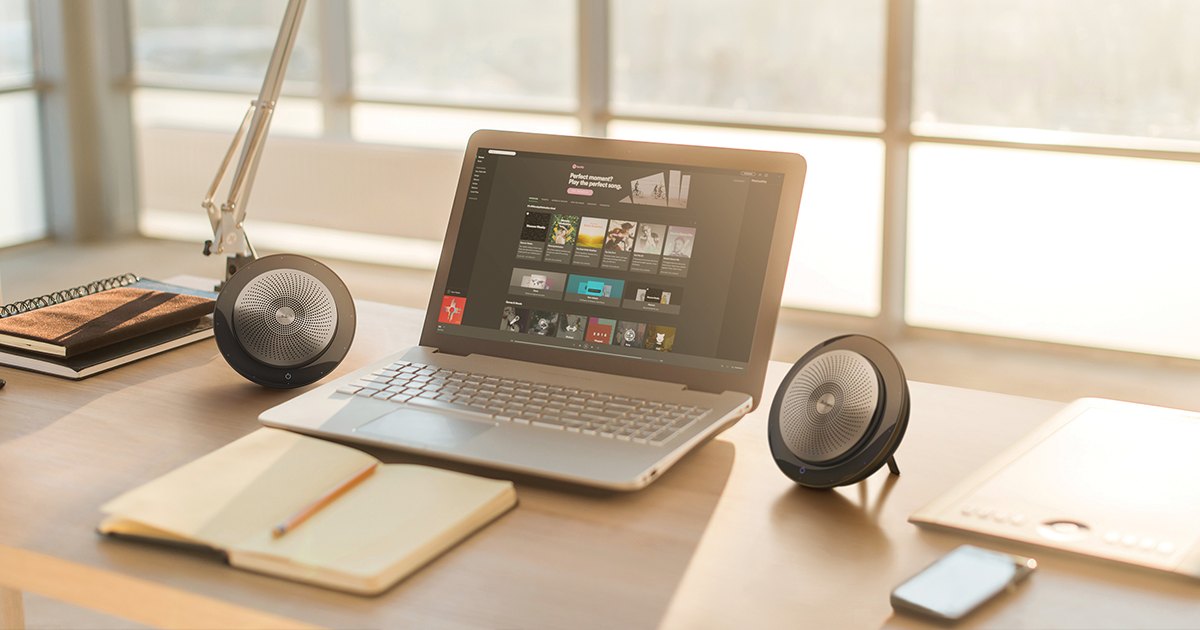
A third video, "Jabra Speak 710 Full Review: Unboxing Setup Twinning and Comparison," digs into the "twinning" feature, where you can connect two units to cover a larger space. This is a critical feature for hybrid offices that need to expand their audio reach without buying an entirely new, more expensive system. ↗
Who it's for
The Jabra Speak 710 is designed for teams that value clarity over raw power. If your meetings involve 2 to 8 people, this is the tool that will make you sound professional.
- Hybrid workers: If you work from home some days and the office others, the portability of the Jabra Speak 710 means you can take your "meeting voice" with you.
- Small conference rooms: It fits on a desk without dominating the space, making it perfect for huddle rooms.
- Video conferencing users: The 360-degree pickup ensures that if you lean forward to point at a screen, your voice is still captured clearly.
Who should skip
This is not a one-size-fits-all solution for every audio need. If your environment is different, you might be better off with a different category of device. Confirm details on the current product page.
- Large boardrooms: If you have more than 8-10 people in a large, echoey room, the Jabra Speak 710 may struggle to pick up everyone at the far end of the table. You’d need a larger conference system.
- Pure audio purists: If you are buying this to listen to music, it’s not the right tool. It’s a speakerphone, optimized for voice, not bass-heavy audio.
- Wired-only environments: If your IT policy strictly forbids Bluetooth devices, you’ll be limited to the USB or 3.5mm connection, which can sometimes feel less seamless than the wireless experience.
Mid-check
If the criteria above already match how you actually use the space, stop here and check current options before you keep reading comparison noise. Confirm details on the current product page.
How to choose in five minutes
If you’re on the fence, here is how to decide if the [Jabra Speak 710](https://www.anrdoezrs.net/click-101855392-14092667-1716934534000?sid=home_jabra_blog_jabra-speak-710_a] is the right fit for your setup:
- Check your room size: If you can stand at one end of the table and hear the person at the other end clearly, the Jabra Speak 710 will likely work. If you can’t, you need a larger system.
- Check your connectivity: Do you have a USB port or a 3.5mm jack on your laptop? If you’re using a modern laptop with only USB-C, you’ll need a dongle or a USB-C to USB-A adapter. See options
- Check your workflow: Do you move between rooms? If yes, the battery life is a major plus. If you stay in one spot, you can leave it plugged in for continuous charging. See options
FAQ
Does the Jabra Speak 710 work with Microsoft Teams? Yes, the Jabra Speak 710 is certified for use with Microsoft Teams, Zoom, and other major platforms. It acts as a standard audio input/output device, so it should appear in your system settings once connected via USB or Bluetooth.
Can I use two Jabra Speak 710 units at the same time? Yes, Jabra supports a feature called "twinning," which allows you to pair two Jabra Speak 710 units to cover a larger area. This is useful if your meeting room is longer than the device’s standard pickup range.
What is the warranty on the Jabra Speak 710? Jabra typically offers a standard limited warranty on their business devices. For the most accurate coverage details and current return policies, you should check the specific terms on the Jabra support page, as these can vary by region and retailer.
Why is my Jabra Speak 710 not charging? If your Jabra Speak 710 isn’t charging, first check the USB cable and port. Ensure the device is fully powered on and that the LED indicator is showing a charging status. If the issue persists, it may be a faulty cable or a port issue, which is a common troubleshooting step for this model.
Bottom Line
The Jabra Speak 710 is not the loudest speakerphone on the market, but it is one of the most reliable and easiest to use. It does one job—making your conference calls sound clear—and it does it well. If you’re tired of people asking you to repeat yourself, this is the fix.
Sources
- YouTube — SHOWDOWN Jabra Speak 710 Review - LIVE MIC & SPEAKER TEST!
- YouTube — Jabra Speak 710 Speakerphone Review
- YouTube — Jabra Speak 710 Full Review: Unboxing Setup Twinning and Comparison
Related Guides