EaseUS MakeMyAudio Review: The All-in-One PC Audio Toolkit
If you are tired of juggling three different programs just to record a podcast, convert a song, or set a custom ringtone on your iPhone, EaseUS MakeMyAudio is built to handle the entire workflow in one place. It is not just a voice changer; it is a desktop audio suite that lets you capture system sound, edit clips, convert formats, and even rip music from physical CDs. For creators who need to move quickly between recording, editing, and exporting without opening a new tab for every step, this tool keeps your project in a single window.
The software sits in the "Computer SW" category for a reason: it is a utility you install once and use for any audio task on your Windows PC. Whether you are a streamer looking to add effects to your voice or a casual user who just wants to turn a YouTube clip into an MP3 for your phone, EaseUS MakeMyAudio covers the basics with a straightforward interface. You can grab the free version to test the waters, or step up to the paid plan if you need the full library of effects and advanced editing tools.
Quick Answer
| Category | Details |
|---|---|
| Best for | Windows users who need a single app to record, edit, convert, and transfer audio files (including iPhone ringtones). |
| Skip if | You are on Mac or Linux, or if you only need a simple, one-click voice changer without editing tools. |
| One line | A comprehensive desktop audio toolkit that handles recording, editing, conversion, and CD ripping in one package. |
Swipe sideways to compare →
What actually changes the buy is fit, what you should skip, and which tradeoffs show up after week one — not a longer spec sheet. If you already know the job, see current options while you read the criteria.
What the Official Page Lists
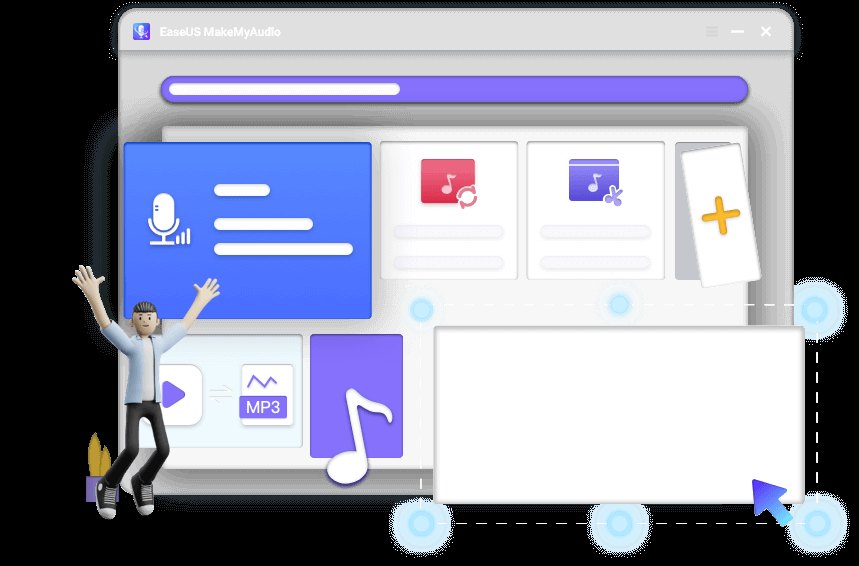
The official product page highlights several core capabilities that define the tool’s scope. While specific system requirements (like minimum RAM or CPU) are not explicitly detailed in the top-level summary, the following features are confirmed: Check the official listing before you buy.
| Feature | Description |
|---|---|
| Audio Recording | Records sounds from apps and websites on your computer. |
| Audio Editor | Allows you to cut audio to isolate your favorite parts. |
| Audio/Video Converter | Converts one audio format to another. |
| Ringtone Transfer | Creates custom ringtones and transfers them to iTunes for iPhone sync. |
| CD Ripping | Rips music from CDs to digital formats for portable use. |
| Voice Effects | Includes standard and advanced voice effects (paid plan). |
Swipe sideways to compare →
Note: Verify current system requirements and specific file format support on the EaseUS download page before installing, as software updates may change compatibility.
What reviewers say
Reviews from YouTube say this about the EaseUS MakeMyAudio ecosystem and its voice-changing capabilities.
One YouTube creator notes the value proposition of the paid tier, stating: "However, if you need over 100 standard effects, advanced effects, and all of these features, it's worth purchasing a paid plan for $15 per month or $30 per year." This makes sense if you are a content creator who relies on varied voice effects for storytelling or gaming content; the free version is a good trial, but the depth of the effect library justifies the subscription for heavy users. Confirm details on the current product page.
Another user highlights the fun and utility of the tool in social gaming contexts: "Use it for a lot of things like especially when games or you can prank your teammates and get really really great and funny reaction out of it." This aligns with the tool’s design as a real-time voice modifier; if you enjoy streaming or playing multiplayer games with friends, the ability to instantly change your voice adds a layer of entertainment that standard microphones don't offer. Confirm details on the current product page.
There is also a direct comparison video titled "EaseUS VoiceWave vs Voicemod - Which Voice Changer Is Better?" which indicates that users are actively evaluating EaseUS MakeMyAudio against other popular voice changers, suggesting it is a recognized option in the PC audio modification space.
Who it's for
If you are a Windows user who wants to stop switching between a recorder, an editor, and a converter, this tool is designed for you. It is particularly useful for: Confirm details on the current product page.
- Podcasters and Streamers: You can record system audio and your microphone simultaneously, then edit the result in the same app.
- iPhone Users: If you want a custom ringtone, the built-in transfer to iTunes feature saves you from using third-party websites that often have ads or security risks.
- Music Lovers with Physical CDs: If you still have a collection of CDs, the ripping feature lets you convert those tracks to digital files without needing separate software.
- Content Creators: The voice effects (especially in the paid plan) are great for adding personality to videos, memes, or gaming streams. See options
Who should skip
This tool is Windows-only, so if you are on a Mac or Linux machine, you will need to look elsewhere. Additionally, if you only need a simple, one-click voice changer for a specific game and don't care about recording, editing, or converting files, a lighter-weight, single-purpose app might be less cluttered. The interface is feature-rich, which can feel overwhelming if you just want to change your voice and nothing else. Confirm details on the current product page.
Mid-check
If the criteria above already match how you actually use the space, stop here and check current options before you keep reading comparison noise. Confirm details on the current product page.
How to choose in five minutes
- Check your OS: Ensure you are running Windows. If not, stop here.
- Download the Free Version: Grab the EaseUS MakeMyAudio installer from the official site. The free version lets you test the core recording and conversion features.
- Test a Recording: Try recording a short clip from a website or app. Check if the quality meets your needs. See options
- Try a Conversion: Convert a file from one format to another (e.g., MP3 to WAV) to see if the speed and output quality work for you. See options
- Decide on the Paid Plan: If you find yourself wanting more voice effects or advanced editing tools, the paid plan ($15/month or $30/year) unlocks those features. If the free version covers your needs, you can stick with it. See options
FAQ
Is EaseUS MakeMyAudio free? Yes, there is a free version available for download. It includes core features like audio recording, basic editing, and conversion. The paid plan unlocks over 100 standard effects, advanced effects, and other premium features.
Can I use it on Mac? No, EaseUS MakeMyAudio is designed for Windows PCs. Mac users will need to look for alternative audio tools.
Does it work for iPhone ringtones? Yes, the tool allows you to create custom ringtones and transfer them to iTunes, which you can then sync to your iPhone. This is a key feature for users who want personalized ringtones without using third-party web services. Confirm details on the current product page.
What are the system requirements? While the official page highlights features, specific system requirements (like minimum Windows version or RAM) should be verified on the EaseUS download page to ensure compatibility with your hardware.
Is it safe to download? As with any software, it is best to download directly from the official EaseUS website to avoid bundled adware or malicious files. The Google Suggest data shows many users searching for "easeus makemyaudio 安全性" (safety/security), indicating that users are aware of the importance of downloading from trusted sources.
Bottom Line
EaseUS MakeMyAudio is a solid choice for Windows users who want a comprehensive audio toolkit without installing multiple separate apps. It handles the basics—recording, editing, converting, and CD ripping—well, and the voice effects feature adds a layer of fun for gamers and content creators. If you are on a Mac or only need a simple voice changer, you might find it overkill, but for most Windows users, it’s a practical, all-in-one solution.
Sources
- YouTube review — https://www.youtube.com/watch?v=dfOD73lR0SY&t=38s
- YouTube review — https://www.youtube.com/watch?v=JNfVVecAbzc&t=44s
- YouTube comparison — https://www.youtube.com/watch?v=KpeqFkHyhzs
Related Links