TP-Link USA S500D Review: The No-Hub Smart Dimmer for 2.4GHz Wi-Fi Homes
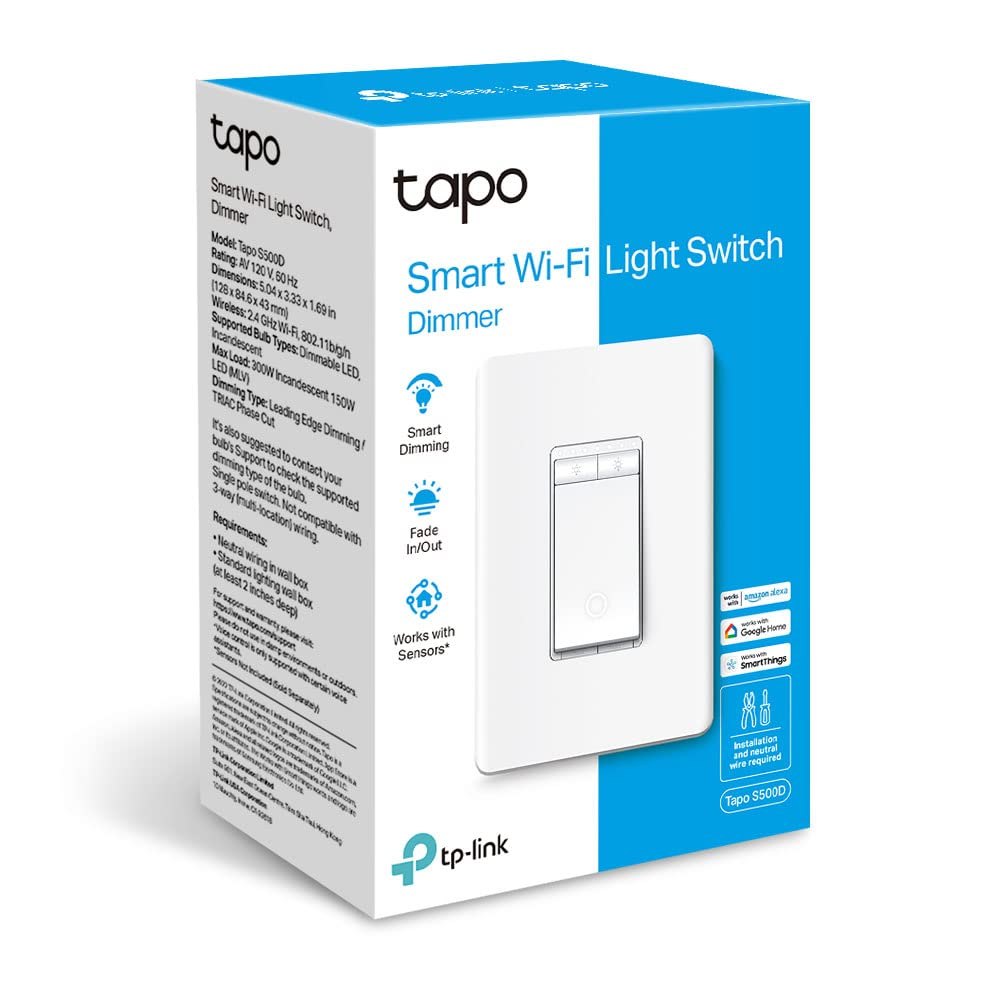
If you are tired of plugging a smart bulb into a standard switch and losing the ability to dim from the wall, the TP-Link USA S500D is the hardware fix. This is a single-pole smart dimmer switch that replaces your existing wall plate, requiring a neutral wire for installation but removing the need for a central hub to run your daily automation. It connects directly to your 2.4GHz Wi-Fi network, meaning it works out of the box with the Tapo app, Alexa, and Google Home without extra middleware.
The S500D is UL certified, which is a critical safety marker for any device you are wiring into your home’s electrical panel. It is not a smart bulb, nor is it a plug-in; it is the switch itself. If your goal is to keep your existing LED or incandescent fixtures but gain full dimming control, schedules, and voice commands from the wall, this is the component that bridges that gap. You can see current options for the TP-Link USA S500D to check availability in your region, as stock for specific color variants can fluctuate.
Quick Answer
| Category | Details |
|---|---|
| Best for | Homeowners with neutral wires who want to replace standard dimmers with Wi-Fi connected, hub-free smart controls. |
| Skip if | You do not have a neutral wire in your switch box, or you rely exclusively on 5GHz-only Wi-Fi devices without a 2.4GHz band. |
| One line | A UL-certified, single-pole smart dimmer that connects directly to 2.4GHz Wi-Fi for Alexa/Google Home control without a hub. |
Swipe sideways to compare →
What actually changes the buy is fit, what you should skip, and which tradeoffs show up after week one — not a longer spec sheet. If you already know the job, see current options while you read the criteria.
Official Specs and Facts
The following specifications are drawn from the official TP-Link Tapo product documentation for the S500D.
| Feature | Specification |
|---|---|
| Product Name | TP-Link USA Tapo S500D Smart Dimmer Switch |
| Wiring Requirement | Neutral wire required |
| Pole Type | Single-pole |
| Wi-Fi Band | 2.4GHz only |
| Hub Requirement | No hub required (connects directly to router) |
| Voice Assistants | Compatible with Alexa and Google Home |
| Certification | UL Certified |
| Color | White |
| Compatibility | LED, CFL, and Incandescent bulbs (verify load limits on brand page) |
Swipe sideways to compare →
Note: While the S500D is the specific SKU, the Tapo ecosystem often sells these switches in multi-packs. If you are replacing multiple switches, verify if you are purchasing the single unit or a bundle, as the pricing and shipping terms differ. You can check the current bundle options to see if a multi-pack offers better value for your project.
What reviewers say
Reviews from YouTube say this about the TP-Link USA S500D.
On YouTube, a reviewer notes, "The Tapo S500 comes in a convenient four-pack, which is perfect for those looking to upgrade multiple switches at once." This is a practical observation for most home upgrades, as you rarely replace just one switch in a room; buying in bulk simplifies the installation process and ensures all your new smart switches are from the same firmware generation. ↗ You can see current options.
Another YouTube review titled "TP-Link Tapo S505 Smart Light Switch Review: Matter, HomeKit, and Voice Control Explained" highlights the broader ecosystem benefits. While the S500D is a slightly different model from the S505, both share the core Tapo architecture that prioritizes easy setup and voice control integration. This reinforces the value of choosing a brand where the app experience is consistent across your lighting lineup. ↗
Who it's for
The TP-Link USA S500D is designed for homeowners who are ready to move past "smart plug" solutions and want true wall-level control. If you have already invested in smart bulbs but find it inconvenient to turn them off via app when you leave a room, this switch gives you the tactile control you are missing.
- You have a neutral wire: You have confirmed that your switch box contains a neutral wire (usually a white or gray wire). This is the most critical requirement. If you are unsure, consult a local electrician or use a non-neutral smart switch alternative.
- You use 2.4GHz Wi-Fi: Your router broadcasts a 2.4GHz band. Most modern routers do, but if you have disabled it to save bandwidth, this switch will not connect.
- You want no-hub simplicity: You prefer devices that talk directly to your router and cloud services without needing a Thread border router, Zigbee hub, or proprietary bridge.
- You use major voice assistants: You already have Alexa or Google Home set up in your home. The S500D integrates directly with these platforms.
Who should skip
This product is not a universal solution for every home. If any of the following apply, the S500D will not work or will be a poor fit. Check the official listing before you buy.
- No neutral wire: If your switch box only has a hot (black/red) and load (black) wire, the S500D will not function. You will need a different model designed for no-neutral installations.
- Multi-pole or 3-way circuits: The S500D is a single-pole switch. If your light is controlled by two or more switches (3-way or 4-way), this model is not compatible without additional wiring changes.
- 5GHz-only Wi-Fi: If your home network only broadcasts on 5GHz, this device cannot connect. You must enable the 2.4GHz band.
- High-load appliances: This is a light switch. It is not designed to control heavy loads like space heaters, air conditioners, or large motors. Check the official load rating for your specific bulb type. See options
Mid-check
If the criteria above already match how you actually use the space, stop here and check current options before you keep reading comparison noise. Confirm details on the current product page.
How to choose in five minutes
Before you buy, spend five minutes verifying three things. First, open your switch box (with power off) and look for a neutral wire. If you see a white wire capped off in the back of the box, you are likely good to go. If you only see two wires going into the switch, stop and look for a no-neutral alternative. Check the official listing before you buy.
Second, check your Wi-Fi. Log into your router and ensure the 2.4GHz band is active. If you are using a mesh system, ensure the satellite nodes also broadcast 2.4GHz. The Tapo app will not see the device if the band is hidden or disabled. Confirm details on the current product page.
Third, consider the quantity. If you are doing a whole room, check if a multi-pack is available. Buying multiple units at once often simplifies the shipping and ensures you have spares if one fails during installation. You can view the current pricing for the TP-Link USA S500D to compare single vs. bundle costs.
FAQ
Does the TP-Link USA S500D require a hub? No. The S500D connects directly to your 2.4GHz Wi-Fi network. It does not require a Zigbee, Z-Wave, or Thread hub. It communicates with the Tapo cloud and your voice assistants over Wi-Fi.
Can I use the S500D with a 3-way switch setup? No. The S500D is a single-pole device. It is designed to replace a standard single-pole switch. If your light is controlled by two switches, you will need a different product line or to rewire the circuit. You can see current options.
What bulbs are compatible with the S500D? The S500D is generally compatible with LED, CFL, and incandescent bulbs. However, you should verify the minimum and maximum load ratings on the official TP-Link product page for your specific bulb wattage to ensure safe operation.
Is the S500D UL certified? Yes. The S500D is UL certified, which means it has undergone safety testing for electrical hazards. This is a standard requirement for wall-mounted electrical devices in the US. You can see current options.
Can I control the S500D with Siri? The S500D is primarily compatible with Alexa and Google Home. While it may work with Siri via HomeKit if supported by the specific firmware version, the primary advertised integrations are Alexa and Google Home. Check the current compatibility list on the TP-Link support page for the latest Siri/HomeKit status.
Bottom Line
The TP-Link USA S500D is a straightforward, reliable way to add smart dimming to your home without adding another hub to your network. It handles the job well: it connects to Wi-Fi, works with the major voice assistants, and provides a familiar wall-switch experience. If you have the neutral wire and the 2.4GHz band, it is a solid choice for upgrading your lighting control.
If you are ready to upgrade your lighting, see current options for the TP-Link USA S500D. For more on how to integrate smart switches into your home automation, check out our guide to smart home lighting and our overview of Wi-Fi vs. Zigbee devices.
Sources
- YouTube — https://www.youtube.com/watch?v=6puEsm6bSvA&t=42s
- YouTube — https://www.youtube.com/watch?v=N9Xz8mn8lqQ
Related Links