TP-Link USA C110 Review: The Tapo 2K Indoor Security Camera
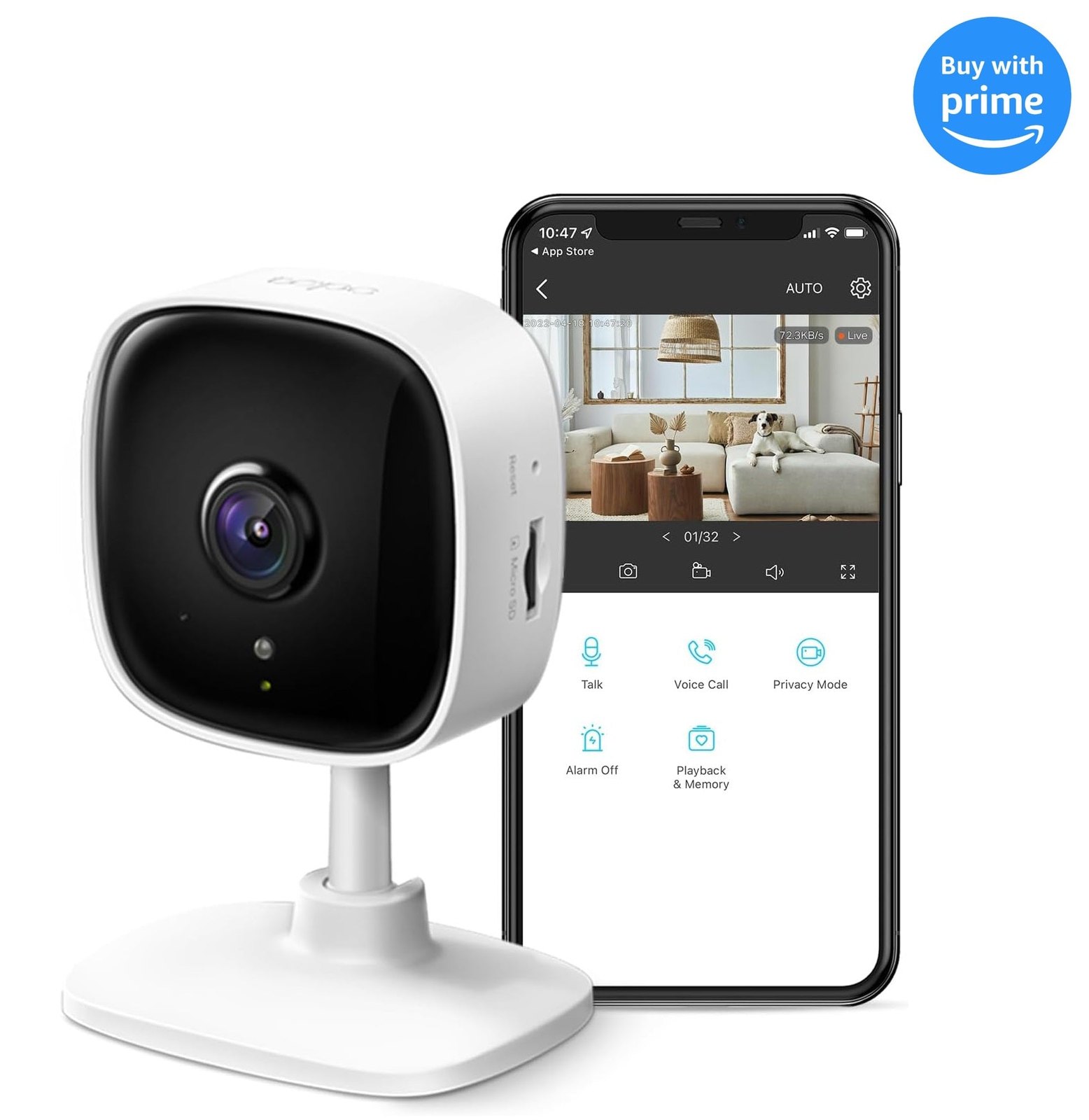
You do not need a complex smart-home hub or a monthly subscription to keep an eye on the hallway, the nursery, or the front door. The TP-Link USA C110, known as the Tapo 2K Indoor Security Camera, handles the basics of home monitoring with a straightforward setup and a clear 2K image. It sits on a desk or shelf, connects to your Wi-Fi, and streams video to your phone without demanding that you learn a new ecosystem. For many households, this is the "set it and forget it" camera that just works.
If you are looking for a reliable, affordable way to see what is happening inside your home, the TP-Link USA C110 is a strong contender. It focuses on the essentials: sharp video, easy app control, and local storage options that keep your data in your hands.
Quick Answer
| Feature | Details |
|---|---|
| Best for | Renters and homeowners who want a simple, plug-and-play indoor camera without a subscription. |
| Skip if | You need outdoor weather resistance, advanced AI person/vehicle detection, or a 4K resolution. |
| One line | A budget-friendly 2K indoor camera that prioritizes ease of use and local storage. |
Swipe sideways to compare →
What actually changes the buy is fit, what you should skip, and which tradeoffs show up after week one — not a longer spec sheet. If you already know the job, see current options while you read the criteria.
Official Specs and Facts
The official product page for the Tapo C110 lists the following key specifications. Note that TP-Link frequently updates its lineup, so verify current firmware features and storage compatibility on the TP-Link USA store before purchasing.
| Spec | Detail |
|---|---|
| Resolution | 2K (QHD) |
| Field of View | 130° horizontal |
| Night Vision | Infrared (IR) night vision |
| Storage | MicroSD card (local), Tapo Care (cloud, optional) |
| Connectivity | Wi-Fi |
| Power | Plug-in (AC adapter) |
| Two-Way Audio | Yes, with noise reduction |
| Pan/Tilt | Manual (fixed position, no motorized pan) |
Swipe sideways to compare →
Note: The C110 is a fixed-position camera. It does not have the motorized pan/tilt mechanism found in its sibling model, the C210. If you need to move the camera remotely, you will need to physically adjust it or look at a different model. Check the official listing before you buy.
What Reviewers Say
Reviews from YouTube say this about the TP-Link USA C110.
On YouTube, a reviewer covering the "TP Link Tapo C110 Security Camera Review" highlights the camera's straightforward setup process and the clarity of the 2K image during the day. The video emphasizes that the app interface is intuitive for non-technical users, making it a low-stress addition to a home security setup. This aligns with the camera's positioning as an entry-level device that doesn't require a learning curve to get value from. You can see current options.
Another in-depth review on YouTube, titled "TP-Link Tapo Indoor Security Camera (C110) in depth Review," focuses on the reliability of the local storage feature. The reviewer notes that being able to store footage on a microSD card without a mandatory cloud subscription is a significant cost-saver for long-term users. This is a key selling point for the C110, as it gives users control over their data and eliminates recurring monthly fees.
Finally, a comparison video on YouTube, "TP-Link TAPO C210 vs C110 Security Cams - Surprisingly Good," positions the C110 as the smarter choice for those who do not need remote pan/tilt. The reviewer suggests that if your camera will be mounted in a fixed location, the C110 offers better value and simplicity than the more complex C210. This reinforces the idea that the C110 is ideal for static monitoring points like a front door or a living room corner.
Who It's For
The TP-Link USA C110 is designed for users who want security without complexity. It is a practical choice for several specific scenarios:
- Renters: Because it requires no drilling and no professional installation, it is easy to move when you move. The TP-Link USA C110 is a lightweight, portable solution.
- Nursery Monitoring: The two-way audio and clear night vision make it a common choice for checking on sleeping children without needing a dedicated baby monitor.
- Pet Watchers: If you have a dog or cat and want to see what they are up to, the 130° field of view covers a good portion of a room.
- Budget-Conscious Buyers: With the option for local storage, you avoid the recurring cost of cloud subscriptions, making the total cost of ownership very low over time.
Who Should Skip
This camera is not the right fit for everyone. You should look elsewhere if:
- You Need Outdoor Protection: The C110 is an indoor-only device. It does not have an IP rating for weather resistance. For outdoor use, consider the Tapo C425 or other weather-resistant models from TP-Link.
- You Require 4K Resolution: If you need the absolute highest detail for zooming in on faces or license plates, the C110's 2K resolution may not be sufficient. Look at the 4K options in the Tapo lineup.
- You Want Remote Pan/Tilt: If you need to move the camera from your phone to track a moving subject, the C110 cannot do this. You would need a model with motorized pan and tilt.
- You Need Advanced AI Detection: While the Tapo app offers basic motion detection, if you require sophisticated AI that distinguishes between people, vehicles, and packages with high accuracy, you may want a higher-end model with dedicated AI processing.
Mid-check
If the criteria above already match how you actually use the space, stop here and check current options before you keep reading comparison noise. Confirm details on the current product page.
How to Choose in Five Minutes
- Check Your Wi-Fi: Ensure your home Wi-Fi network is stable. The camera streams video continuously, so a weak signal will lead to lag or disconnections. See options
- Pick Your Storage Method: Decide if you want to buy a microSD card for local storage or if you are willing to pay for Tapo Care cloud storage. Local storage is cheaper long-term; cloud is more convenient for remote access. See options
- Verify the Mounting Spot: Since the C110 is fixed, choose a location that gives you the best angle. You cannot rotate it remotely. See options
- Compare with the C210: If you are unsure about the fixed position, compare it with the Tapo C210. If you don't need to pan, the C110 is the better value.
- Read the Latest Reviews: Check the TP-Link USA store for the most recent customer feedback to ensure the current firmware meets your needs.
FAQ
Does the TP-Link USA C110 require a subscription? No. You can use the camera with local microSD card storage without any monthly fees. Cloud storage (Tapo Care) is optional and only needed if you want to access footage from the cloud or want extended retention.
Can I see the camera at night? Yes. The C110 has infrared night vision that allows it to capture clear black-and-white images in the dark. You can see current options.
Is the camera compatible with Alexa or Google Home? Yes, the Tapo C110 is compatible with major voice assistants, allowing you to view the live feed on compatible smart displays. Confirm details on the current product page.
What is the field of view? The camera has a 130° horizontal field of view, which is wide enough to cover a standard room or hallway. You can see current options.
Is the C110 suitable for outdoor use? No. The C110 is designed for indoor use only. For outdoor monitoring, consider the Tapo C425 or other IP-rated models.
Bottom Line
The TP-Link USA C110 is a no-nonsense indoor security camera that delivers on its core promise: clear 2K video, easy setup, and the freedom from mandatory subscriptions. It is not the most feature-rich camera on the market, but for most households, it does exactly what you need it to do. If you want a reliable, affordable way to keep an eye on your home without the hassle of complex configurations or monthly fees, the TP-Link USA C110 is a solid choice.
Sources
- YouTube — TP Link Tapo C110 Security Camera Review — https://www.youtube.com/watch?v=zOV1XrRIuqk
- YouTube — TP-Link Tapo Indoor Security Camera (C110) in depth Review — https://www.youtube.com/watch?v=New8XXgZ2jg
- YouTube — TP-Link TAPO C210 vs C110 Security Cams - Surprisingly Good — https://www.youtube.com/watch?v=-bvIiryewmI
Related Guides