SwitchBot AI Art Frame Review: The 13.3-Inch Digital Display That Rotates Your Own Art
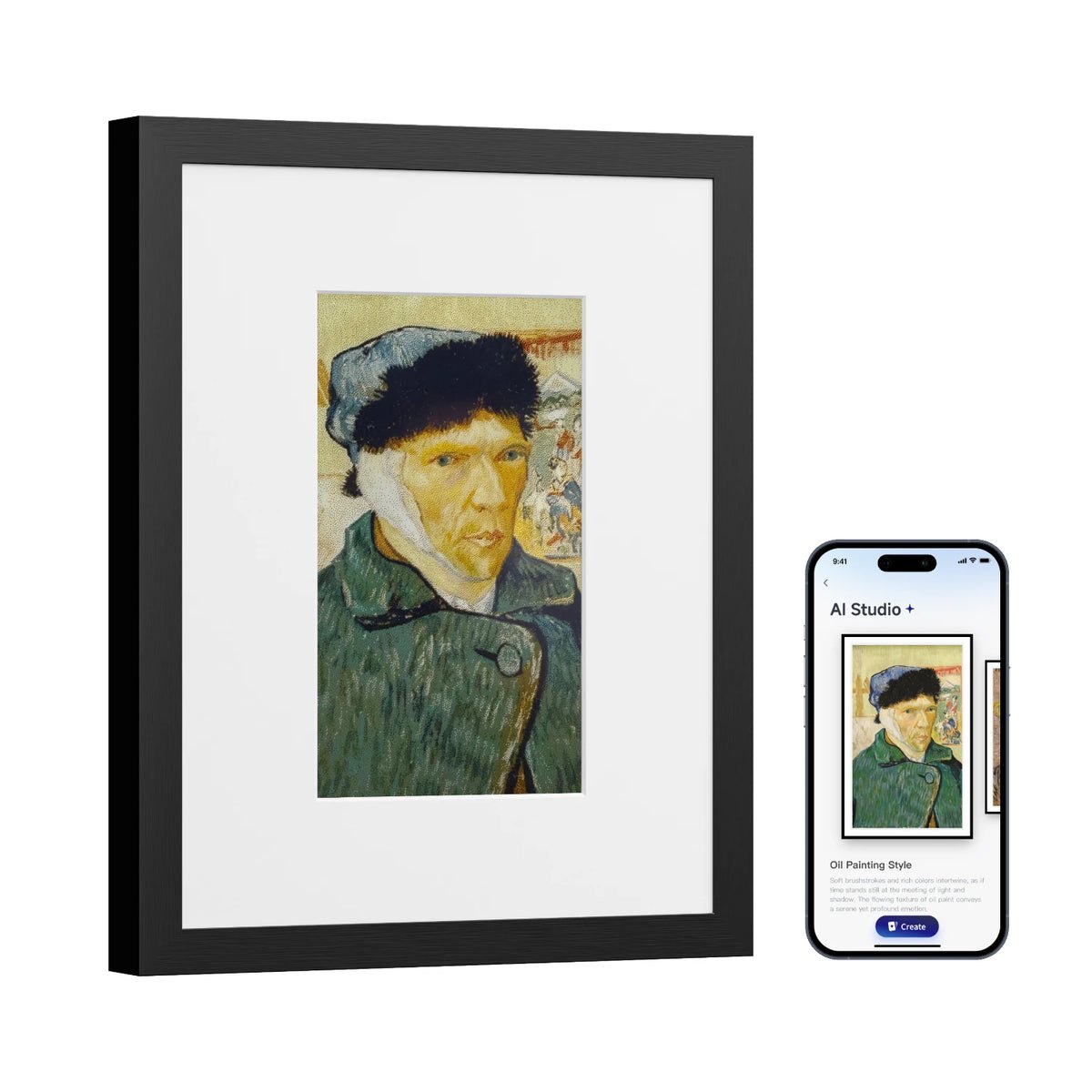
If you have a blank wall that feels too sterile for a static print but too small for a full-size monitor, the SwitchBot AI Art Frame occupies a specific niche: it is a 13.3-inch digital canvas designed to display your personal artwork, photography, or digital art on a rotating schedule. It is not a smart home hub, a security camera, or a general-purpose tablet; it is a dedicated display device that uses AI to frame and adjust the aspect ratio of your uploaded images so they fit the screen without awkward cropping. For people who want the aesthetic of a gallery wall with the flexibility of a digital screen, this is the tool that bridges that gap.
| Best for | Artists, photographers, and design enthusiasts who want to rotate their own portfolio or family photos on a wall-mounted display. |
| Skip if | You are looking for a general-purpose smart home controller, a video streaming device for movies, or a high-brightness outdoor display. |
| One line | A 13.3-inch wall-mounted digital art frame that uses AI to optimize and rotate your personal image library. |
Swipe sideways to compare →
What the official page lists
The official product page for the SwitchBot AI Art Frame provides the core specifications for the hardware. While specific pixel resolution and lumen output are often detailed in the technical spec sheet on the brand’s site, the following are the key features and policies confirmed in the official research:
- Display Size: 13.3 inches.
- Core Function: AI-powered art framing and rotation.
- Connectivity: Wi-Fi (implied by "AI" and app-based management features typical of the SwitchBot ecosystem).
- Shipping: Free shipping is mentioned on the official site (confirm regions).
- Returns: A 30-day return/money-back window is mentioned on the official site.
If you need the exact pixel density, brightness (nits), or specific Wi-Fi bands (2.4GHz vs 5GHz) supported, verify these details on the official SwitchBot product page before purchasing, as these technical specifics can vary by regional model.
What reviewers say
Reviews from YouTube say this about the SwitchBot AI Art Frame.
One YouTube reviewer notes the device's suitability for personal creative work: "So, whether you're an artist and you want to display your own art here and interval that, it's excellent for that" ↗. This aligns perfectly with the product's primary job: it is built for people who have a library of digital images they want to showcase, not for those who just want a screensaver. Check the official listing before you buy.
Another in-depth review provides a balanced recommendation: "Because of all this, I can recommend the SwitchBot AI art frame as long as you know the limitations that you're getting into" ↗. This sentiment is crucial for buyers; the frame is a specialized display, and understanding that it is optimized for static or slowly rotating art rather than high-motion video is key to being satisfied with the purchase.
A third video, titled "Switchbot AI Art frame In-depth Review" ↗, suggests that the device has enough functionality to warrant a detailed look, indicating that the AI framing features and app integration are substantial enough to be a primary topic of discussion for potential buyers.
Who it's for
This device is a specialized tool, and its value is highest for specific types of users. Confirm details on the current product page.
- Digital Artists and Photographers: If you create digital art, illustrations, or high-resolution photography, this is a way to display your work in your home without printing it. You can upload your best pieces and rotate them, keeping your wall fresh without buying new frames.
- Minimalist Home Decor Enthusiasts: People who prefer clean, uncluttered walls but want a focal point will find the SwitchBot AI Art Frame ideal. It replaces the need for multiple physical frames and allows you to change the "art" with a tap on your phone.
- Tech-Savvy Smart Home Users: If you are already using the SwitchBot app or are interested in integrating displays into a smart home routine, this device fits into that ecosystem. You can potentially automate when certain images are displayed based on time of day or other triggers.
Who should skip
If your expectations for a "smart display" are different, this product may not meet your needs. Check the official listing before you buy.
- Video Streamers and Movie Buffs: This is not a streaming device. It is designed for art and photos. If you want to watch Netflix, YouTube, or sports, you need a smart TV or a dedicated streaming stick.
- General Smart Home Controllers: While SwitchBot is known for its smart switches and locks, this specific SKU is a display. It does not replace a smart home hub or a control panel for lights and thermostats.
- High-Brightness Outdoor Users: This is an indoor display. If you need a screen for a garage, patio, or direct sunlight, the brightness and weather resistance of the AI Art Frame are not designed for that environment.
Mid-check
If the criteria above already match how you actually use the space, stop here and check current options before you keep reading comparison noise. Confirm details on the current product page.
How to choose in five minutes
Before you buy, spend five minutes verifying these three things to ensure the SwitchBot AI Art Frame is the right fit for your space.
- Check Your Image Library: Do you have a collection of high-resolution images you want to display? If your "art" is mostly low-resolution screenshots or memes, the 13.3-inch screen might not showcase them well. The AI framing helps, but source quality still matters. See options
- Verify Wall Space and Power: The frame requires a wall mount and a power source. Measure the wall space to ensure the 13.3-inch size fits your aesthetic. Check if there is a power outlet nearby, as you will need to run a cable. See options
- Confirm App Compatibility: Download the SwitchBot app and ensure it works on your phone. While the specific "AI Art Frame" features are central, the management of the device is likely tied to the broader SwitchBot ecosystem. If you are not comfortable using a smart home app, the setup might be more complex than a plug-and-play digital photo frame.
FAQ
Does the SwitchBot AI Art Frame work with Home Assistant? Searchers are frequently looking for "SwitchBot AI Art Frame Home Assistant" integration. While SwitchBot devices often have local control options, the specific AI art frame features (like AI framing and rotation) are likely managed through the official app. Check the official SwitchBot support page for the latest on Home Assistant compatibility, as local API access can change with firmware updates.
Can I display video on the SwitchBot AI Art Frame? The product is designed for art and photography. While it may support short video loops or animated art, it is not intended for long-form video playback. For video, a standard smart display or TV is a better choice.
What is the return policy for the SwitchBot AI Art Frame? The official site mentions a 30-day return/money-back window. This is a good safety net if the display size or brightness doesn't match your expectations once installed. Confirm the current terms on the SwitchBot website before checkout.
Is the SwitchBot AI Art Frame suitable for outdoor use? No. This is an indoor smart home appliance. It is not weather-resistant and is not designed for outdoor mounting.
Bottom line
The SwitchBot AI Art Frame is a niche product that does one job well: it displays your personal digital art in a stylish, wall-mounted format. It is not a replacement for a TV, a smart home hub, or a general-purpose tablet. If you are an artist, a photographer, or someone who loves the idea of a dynamic, changing gallery wall, this is the device to buy. If you are looking for a general smart display for videos and apps, look elsewhere.
Sources
- YouTube — SwitchBot AI Art Frame Review (Artist Focus)
- YouTube — SwitchBot AI Art Frame In-depth Review (Recommendation)
- YouTube — Switchbot AI Art frame In-depth Review
Related Guides