Rexing CPW-42 Review: Wireless CarPlay & Android Auto Adapter
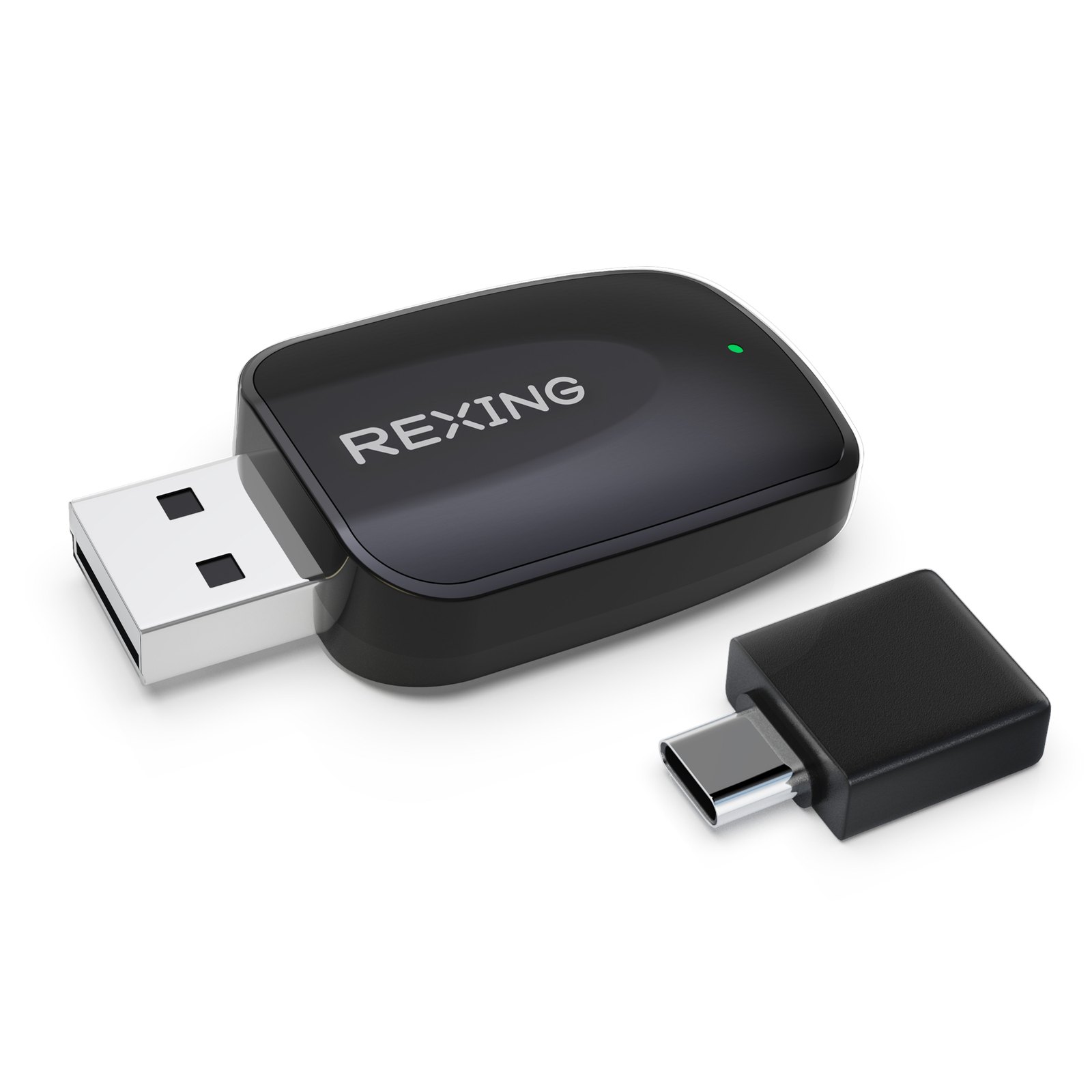
If you are tired of digging through your center console for a cable every time you start the car, the Rexing CPW-42 is designed to solve that specific friction. It plugs into your vehicle’s existing USB port and turns a wired CarPlay or Android Auto setup into a wireless one, allowing your phone to connect automatically once you are in the driver’s seat. Instead of managing a cable that can fray or get lost in the cup holder, you simply sit down, start the engine, and your phone pairs up. This is a practical upgrade for drivers who want a cleaner dashboard and faster access to navigation, music, and hands-free calls without rewiring their head unit. If your car already supports wired CarPlay or Android Auto, the Rexing CPW-42 is the direct path to making that experience wireless.
Quick Answer
| Category | Details |
|---|---|
| Best for | Drivers with wired CarPlay/Android Auto who want a wireless connection without replacing the head unit. |
| Skip if | Your car does not support wired CarPlay or Android Auto, or if you prefer a dedicated aftermarket screen. |
| One line | A plug-and-play USB adapter that enables wireless phone integration for compatible vehicles. |
Swipe sideways to compare →
What actually changes the buy is fit, what you should skip, and which tradeoffs show up after week one — not a longer spec sheet. If you already know the job, see current options while you read the criteria.
Official Product Facts
Based on the official Rexing product page, the CPW-42 is a wireless adapter for iPhone (iOS 10+) and Android (Android 11+). Below are the key specifications and compatibility details to verify before purchase.
| Feature | Specification / Detail |
|---|---|
| Product Name | Rexing CPW-42 |
| Compatibility | Vehicles with existing wired Apple CarPlay or Android Auto |
| Phone Support | iPhone (iOS 10 and newer), Android (Android 11 and newer) |
| Connection Type | USB (plugs into vehicle’s existing USB port) |
| Function | Converts wired CarPlay/Android Auto to wireless |
| Setup | Plug-and-play; no professional installation required |
Swipe sideways to compare →
Note: Specific dimensions, weight, and warranty terms are not explicitly listed in the provided research data. Please verify current warranty details and physical dimensions on the official Rexing product page or the retailer listing.
What reviewers say
Reviews from Amazon and YouTube say this about the Rexing CPW-42.
On Amazon, users highlight the ease of installation and the completeness of the kit. One reviewer noted, "Everything needed for whatever configuration," praising the fact that the package includes all necessary components for a smooth setup. Another user simply stated, "Works," confirming that the device functions as intended for their vehicle. A third review mentioned "Easy hardwired installation," indicating that even those who chose to hardwire the unit found the process straightforward. These comments suggest that the CPW-42 delivers on its promise of a simple, no-fuss upgrade for drivers who want to eliminate the hassle of wired connections. You can see current options.
On YouTube, content creators have produced unboxing and setup videos that demonstrate the real-world application of the device. One video titled "Rexing Wireless CarPlay & Android Auto Adapter Unboxing + Full Setup & Honest Review!" provides a visual guide to the installation process, showing viewers how to connect the adapter and pair their phones. Another creator noted, "And uh if you have an older one, maybe like that pile of junk down there, and you're thinking about upgrading, it's probably worth it," positioning the adapter as a cost-effective way to modernize an older vehicle’s infotainment system. These videos serve as useful resources for anyone considering the upgrade, offering a clear look at what to expect during the setup process.
Who it's for
The Rexing CPW-42 is ideal for drivers who already have a vehicle equipped with wired Apple CarPlay or Android Auto but want the convenience of a wireless connection. If you are constantly dealing with tangled cables, struggling to connect your phone every morning, or simply want a cleaner look in your center console, this adapter is a practical solution. It is also well-suited for those who want to upgrade their existing head unit without the expense of replacing it entirely. By plugging into the existing USB port, the Rexing CPW-42 allows you to retain your current screen and controls while adding the seamless connectivity of wireless phone integration.
Who should skip
This product is not for drivers whose vehicles do not support wired CarPlay or Android Auto. If your car’s infotainment system does not have these features, the CPW-42 will not work, and you would need a different solution, such as an aftermarket head unit. Additionally, if you prefer a dedicated, standalone screen for navigation and media, this adapter may not meet your expectations, as it relies on your vehicle’s existing display. It is also worth noting that the adapter requires a stable USB power source, so if your vehicle’s USB port is prone to issues or is located in an inconvenient spot, you may want to consider a hardwired installation or a different product. For more options, you can explore other wireless CarPlay adapters to see if a different form factor better suits your vehicle’s layout.
Mid-check
If the criteria above already match how you actually use the space, stop here and check current options before you keep reading comparison noise. Confirm details on the current product page.
How to choose in five minutes
- Verify Compatibility: Check your vehicle’s owner’s manual or head unit settings to confirm that it supports wired Apple CarPlay or Android Auto. If it does not, the Rexing CPW-42 will not work.
- Check Phone OS: Ensure your iPhone is running iOS 10 or newer, or your Android device is running Android 11 or newer. Older operating systems may not support the wireless connection. See options
- Inspect USB Port: Locate the USB port in your vehicle that is used for CarPlay/Android Auto. Ensure it is easily accessible and provides sufficient power for the adapter. See options
- Read Recent Reviews: Look at the latest customer reviews on the Rexing CPW-42 listing to see if there are any specific issues reported for your vehicle model.
- Compare with Alternatives: If you are unsure, compare the CPW-42 with other adapters in the market. Consider factors like price, warranty, and additional features such as built-in GPS or hardwiring kits. See options
FAQ
Does the Rexing CPW-42 require professional installation? No, the Rexing CPW-42 is designed for plug-and-play installation. You simply plug the adapter into your vehicle’s existing USB port and follow the on-screen instructions to pair your phone. However, if you prefer a cleaner look or want to power the adapter from your vehicle’s fuse box, you may choose to hardwire it, which can be done by a professional or by yourself if you are comfortable with basic automotive electrical work.
Will the CPW-42 work with my Android phone? Yes, the adapter supports Android Auto for devices running Android 11 or newer. If your phone is running an older version of Android, you may need to update the operating system or use a different solution. Confirm details on the current product page.
Can I use the CPW-42 with both iPhone and Android phones? The Rexing CPW-42 is designed to work with both Apple CarPlay and Android Auto. You can switch between devices, but the specific compatibility will depend on your vehicle’s head unit and the operating system of your phone.
What is the warranty on the Rexing CPW-42? Warranty terms can vary, so it is best to confirm the current warranty details on the official Rexing website or the retailer where you purchase the product.
If the FAQ answered your main objections and you want current models or trial terms, see brand options.
Bottom Line
The Rexing CPW-42 is a straightforward, effective solution for drivers who want to upgrade their wired CarPlay or Android Auto setup to a wireless one. It offers a simple installation process, broad compatibility with modern smartphones, and the convenience of a cable-free experience. If you are looking for a way to streamline your daily commute and reduce the clutter in your vehicle, this adapter is a practical choice. For the best results, ensure that your vehicle and phone meet the compatibility requirements and follow the setup instructions carefully. You can see current options and pricing to find the best deal for your needs.
Sources
- Amazon review — https://www.amazon.com/gp/customer-reviews/RGPJTVCSK52G0
- Amazon review — https://www.amazon.com/gp/customer-reviews/R12M02IFS2RDCL
- Amazon review — https://www.amazon.com/gp/customer-reviews/REG6XZXI6LVY3
- YouTube — https://www.youtube.com/watch?v=mOndYq3Gekc&t=109s
- YouTube — https://www.youtube.com/watch?v=KLcg5BUvbHE
Related Links