Meross EM16P Review: The Smart Energy Monitor for Home Assistant
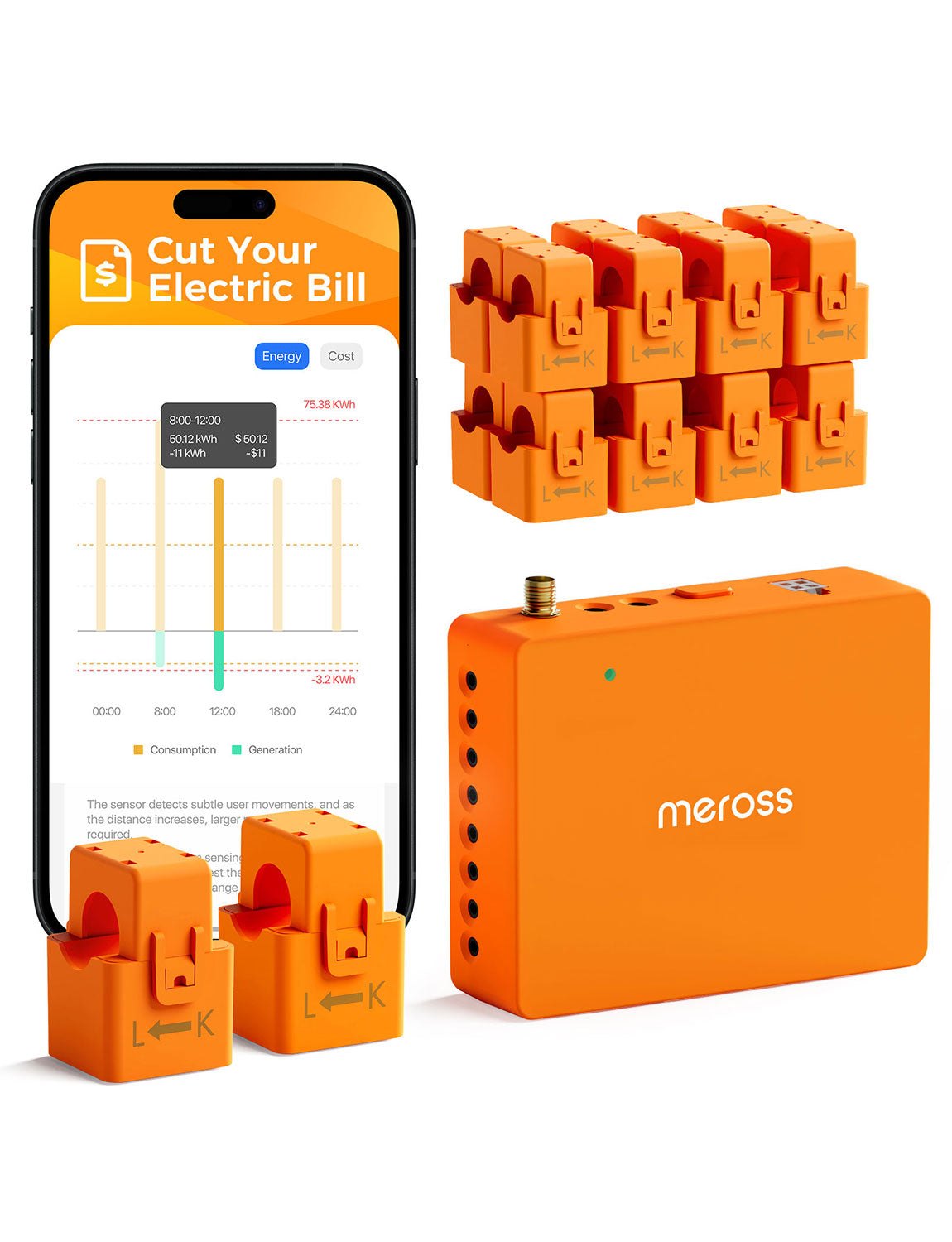
If you have ever stared at your electricity bill and wondered where the money actually went, the Meross EM16P is built to answer that question with data rather than guesswork. It is not a smart plug you stick in an outlet to turn a lamp on; it is a dedicated energy monitor designed to sit in your electrical panel and track consumption or feed-in at the circuit level. For people who already run a smart home, this device bridges the gap between "I turned off the AC" and "my AC used 4.2 kilowatt-hours this afternoon."
The Meross EM16P stands out because it natively supports Home Assistant without requiring you to flash firmware or void your warranty. That specific combination—panel-level accuracy, native smart home integration, and long-term data storage—makes it a different tool than the cheaper smart plugs often recommended for general home upgrades. If you are looking for a way to see exactly which circuits are pulling power and save that history for years, this is the SKU to look at.
Quick Answer
| Category | Details |
|---|---|
| Best for | Home Assistant users who want panel-level energy monitoring without flashing firmware. |
| Skip if | You only need to control a single appliance via a smart plug and do not need historical circuit data. |
| One line | A UL 61010-compliant energy monitor that feeds 5 years of data directly into your smart home hub. |
Swipe sideways to compare →
What actually changes the buy is fit, what you should skip, and which tradeoffs show up after week one — not a longer spec sheet. If you already know the job, see current options while you read the criteria.
What the Official Page Actually Lists
The Meross EM16P is certified to strict electrical safety standards, specifically ETL certification and compliance with the UL 61010 testing standard. This matters because the device is intended to be installed in a location where it is monitoring high-load circuits, not just a low-power outlet.
| Feature | Official Spec / Claim |
|---|---|
| Safety Certification | ETL certified, compliant with UL 61010 testing standard. |
| Data Storage | Free cloud storage supporting up to 5 years of exportable historical data (daily level). |
| Integration | Natively supports Home Assistant; no flashing required. |
| Monitoring Type | Consumption and feed-in monitoring. |
| Statistics | Monthly, weekly, and daily energy statistics. |
| Warranty/Returns | 45-day return/money-back window mentioned on the official site. |
| Shipping | Free shipping mentioned on the official site (confirm regions). |
Swipe sideways to compare →
If you are unsure about the exact amperage rating for your specific circuit, verify the load limits on the Meross official product page before installation, as panel requirements vary by region and electrical code.
What reviewers say
Reviews from YouTube say this about the Meross EM16P.
On YouTube, a reviewer covering the Meross EM16P noted that "My setup went pretty quickly, but there were two things worth pointing out." That speed of setup is a significant advantage for a device that typically requires a panel installation; if the integration with Home Assistant is as seamless as the video suggests, it removes the technical friction that usually keeps people from adopting panel-level monitoring.
Another YouTube video titled "Meross EM16P Review: Energy Monitoring with Home Assistant" focuses specifically on the data pipeline. The fact that the device pushes this data natively to Home Assistant means users can visualize their energy usage in the same dashboard they use for lights and locks, rather than juggling a separate app just to see their power draw.
Who it's for
The [Meross EM16P](https://www.kqzyfj.com/click-101855392-17232898-1769005273000?sid=home_meross_blog_meross-em16p_a] is designed for the user who has already built a smart home ecosystem and wants to close the loop on energy efficiency. It is for the person who knows their smart plugs are working but wants to see the aggregate load on their HVAC or water heater circuits.
- Home Assistant enthusiasts: You want native integration without the risk of bricking a device by flashing custom firmware.
- Energy auditors: You need 5 years of historical data to spot seasonal trends and verify the impact of efficiency upgrades.
- Solar/Feed-in users: You need to monitor not just what you consume, but what you feed back into the grid. See options
Who should skip
This is not a device for the casual smart home user who just wants to turn on a coffee maker from their phone. If you do not have a smart home hub or a specific need for panel-level data, the Meross EM16P is likely overkill.
- Single-appliance controllers: If you only need to monitor a TV or a fridge, a standard smart plug is cheaper and easier to install.
- No Home Assistant users: While the device has an app, the native Home Assistant support is a key differentiator; if you don't use that platform, you are missing half the value proposition.
- DIY-averse installers: Panel installation requires turning off breakers and working with mains electricity. If you are not comfortable with that, skip this SKU. See options
Mid-check
If the criteria above already match how you actually use the space, stop here and check current options before you keep reading comparison noise. Confirm details on the current product page.
How to choose in five minutes
- Check your panel: Ensure you have a free space in your electrical panel for the monitor. If your panel is full, you cannot use the Meross EM16P without an upgrade.
- Verify your hub: Confirm you are running Home Assistant or are willing to use the Meross app. The native Home Assistant support is the primary reason to choose this over other monitors.
- Confirm the return policy: The official site lists a 45-day return window. If you are unsure about the installation complexity, this window gives you a safety net. See options
- Compare with smart plugs: If your goal is just to see which room uses the most power, look at smart plug options instead. The EM16P is for circuit-level, not appliance-level, monitoring. See options
- Check shipping: The official site mentions free shipping, but confirm if your region is included before ordering. See options
FAQ
Does the Meross EM16P require me to flash firmware to work with Home Assistant? No. The Meross EM16P natively supports Home Assistant. This is a critical feature because it means you do not have to void your warranty or risk bricking the device by installing custom firmware. You get the full integration out of the box.
How long does the Meross EM16P store energy data? The device offers free cloud storage for up to 5 years of exportable historical data at the daily level. This is significantly longer than most smart plugs, which often only store a few days or weeks of data. It allows you to track long-term trends in your energy usage.
Is the Meross EM16P safe to install in a standard home panel? Yes, it is ETL certified and compliant with the UL 61010 testing standard. However, installation involves working with mains electricity. You should always follow local electrical codes and, if you are not experienced, hire a licensed electrician. The Meross EM16P is built to strict safety standards, but the installation process itself requires care.
What is the return policy for the Meross EM16P? The official Meross site lists a 45-day return/money-back window. This is a generous period for a device that requires panel installation, giving you time to ensure the data is accurate and the integration works before committing to it.
Bottom Line
The Meross EM16P is the right choice if you want professional-grade energy monitoring without the complexity of commercial systems. It hits the sweet spot of safety certification, long-term data storage, and native Home Assistant support. If you are already running a smart home and want to know exactly where your energy is going, this is the tool that gives you the answer.
Sources
- YouTube — https://www.youtube.com/watch?v=vUfp7u8Xujw
- YouTube — https://www.youtube.com/watch?v=zOkUEvyZVZ0&t=66s
- YouTube — https://www.youtube.com/watch?v=jDLPn8HqgTg
Related Links